INP Metric: 7 Tips for Optimization
The Interaction to Next Paint (INP) metric is an important part of Core Web Vitals. In our work with clients we also see its direct link to business metrics.
Unfortunately, INP isn’t the easiest metric to optimize, so we’ve selected the most common issues and how to fix them based on our experience.
1) Optimize the number of DOM elements on the page
DOM size often correlates with performance of JavaScript functions that operate on the DOM. More elements mean more data for JavaScript to traverse, which lengthens the workload.
A large DOM can inflate INP during hydration when pages are driven by JavaScript frameworks like React. Third-party analytics scripts (e.g., TikTok pixel) can also contribute.
From our experience (and Google’s recommendations) an ideal DOM size is up to 1,500 elements. If you’re above this, consider optimization. Common culprits are megamenu and extensive category filters.
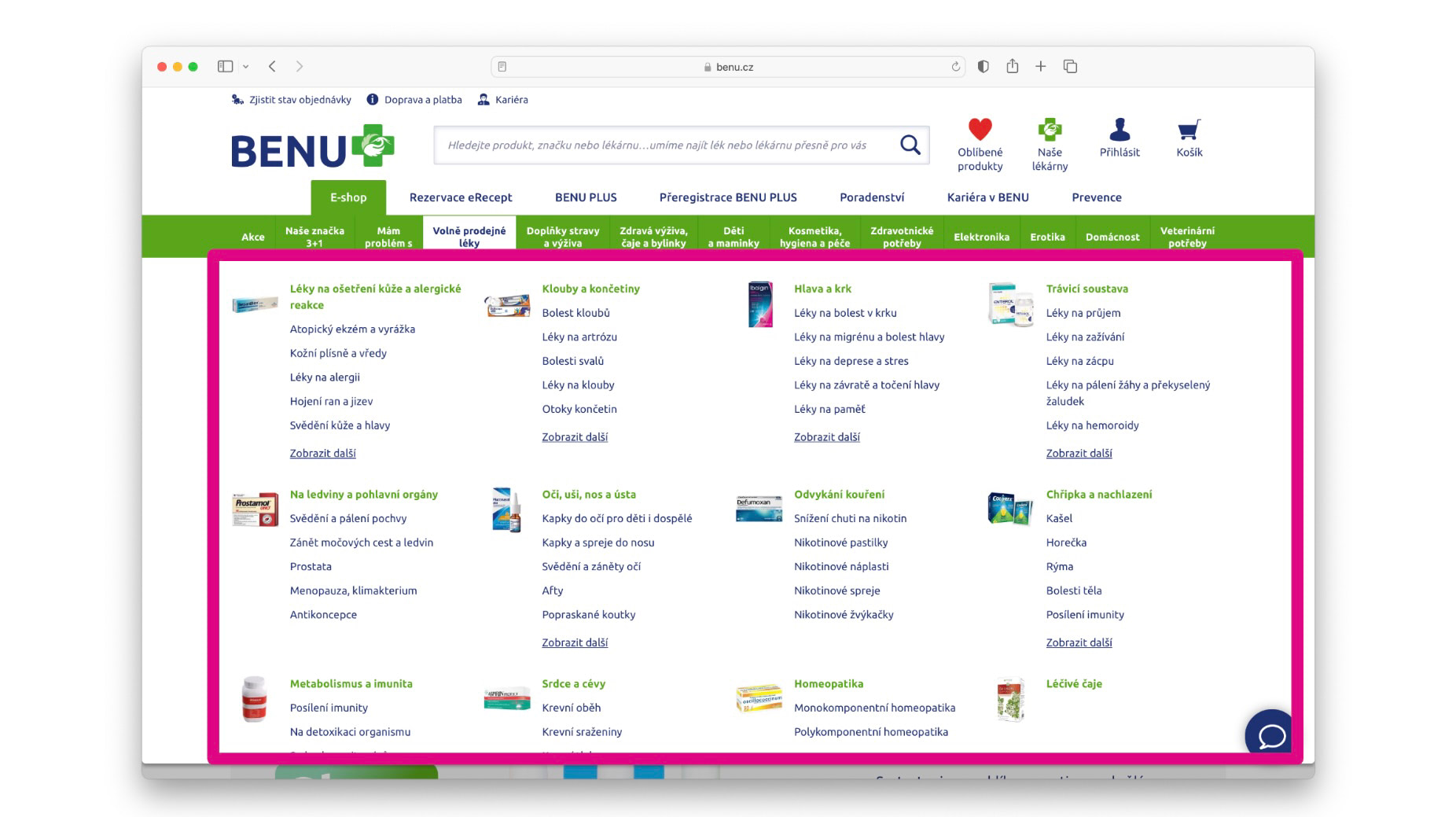 On this site, reducing megamenu complexity (while preserving SEO links) improved INP by tens of percent.
INP optimization can include reducing component complexity (SEO-preserving content remains, surrounding elements load lazily) or loading off-viewport elements after a shift using Intersection Observer.
2) Minimize the number of heavy third-party scripts
Uninformed deployment of third-party code can quickly push INP up. We often see analytics tools running on sites without anyone watching the data.
Sometimes data is needed only for a limited period, but after measurement ends the code isn’t removed. Consider whether some analytics tools are running unnecessarily, and remove them if possible.
Regular maintenance helps, especially on sites evolving over time and with multiple teams involved.
In our monitoring PLUS you can measure the impact of third-party components using the 3PBT metric.
3) Update components to newer versions
In our analyses we often find high INP after interactions caused by older JavaScript components.
For example, an older modal library like Fancybox can trigger long tasks after a click, extending interaction times.
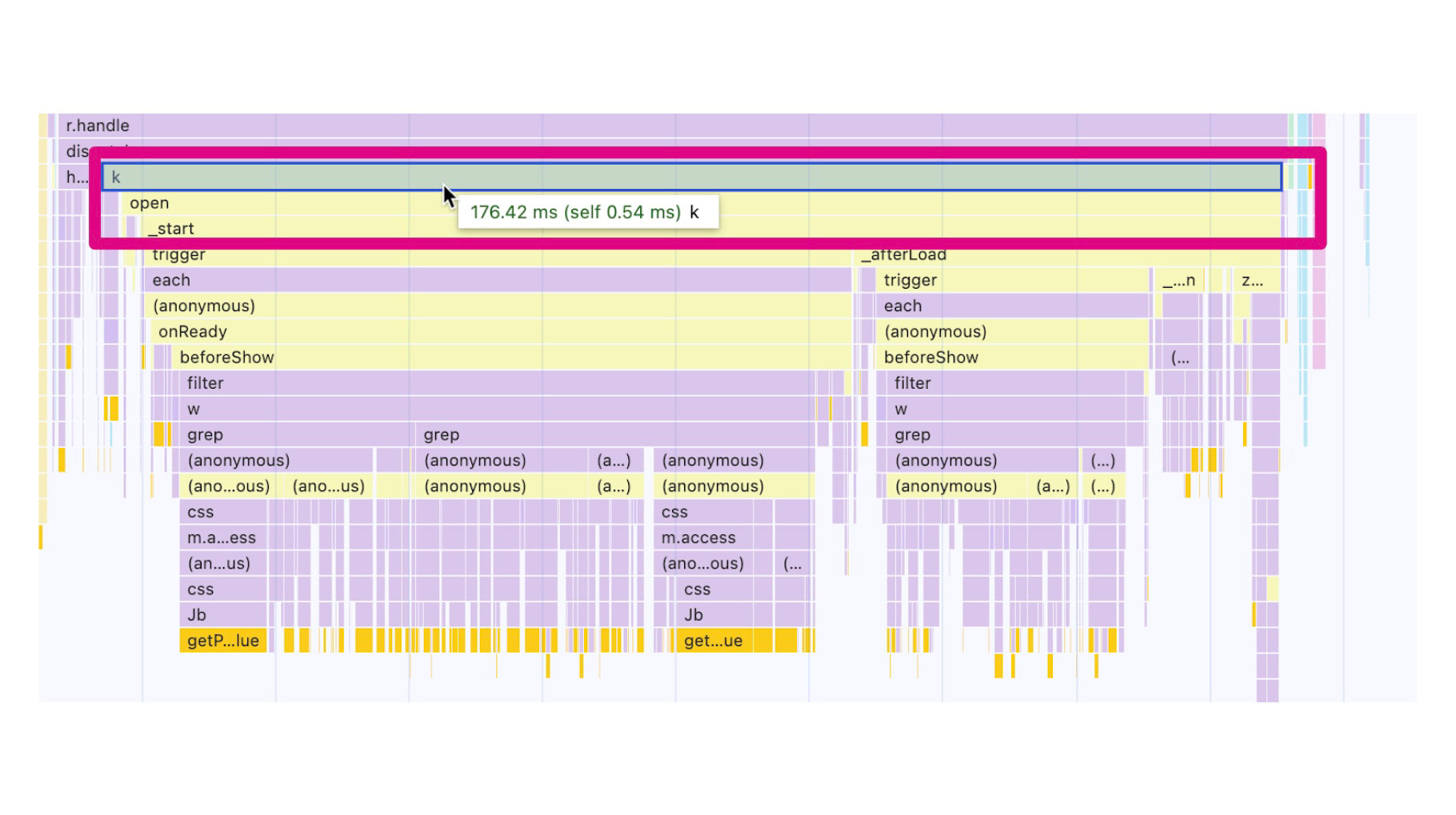 A long JS task created by an older Fancybox version.
It’s a good idea to review used components and update to newer versions where possible.
Consider replacing certain carousels (e.g., Owl or Slick) with modern alternatives that rely on transforms rather than left/right positioning. Embla Carousel is an example.
4) Intersection Observer: defer initialization of heavy components not in the initial viewport
Another optimization approach is to defer initializing heavy components (e.g., carousels) until they’re about to enter the viewport. Use Intersection Observer to initialize when the user approaches.
let observer = new IntersectionObserver(callback, options);
let target = document.querySelector('#lazy-component');

observer.observe(target);
An alternative is Idle Callback for browser idleness.
5) Split long tasks in JavaScript
The best JavaScript is the code that isn’t there. Long tasks can be split into smaller chunks that run sequentially without blocking the main thread.
A practical way is to wrap heavy operations in setTimeout to yield to the main thread:
setTimeout(() => {
	codeDeferredToNextRender();
}, 0);
Keep an eye on newer APIs like scheduler.yield() or Long Animation Frames.
6) Don’t leave users waiting
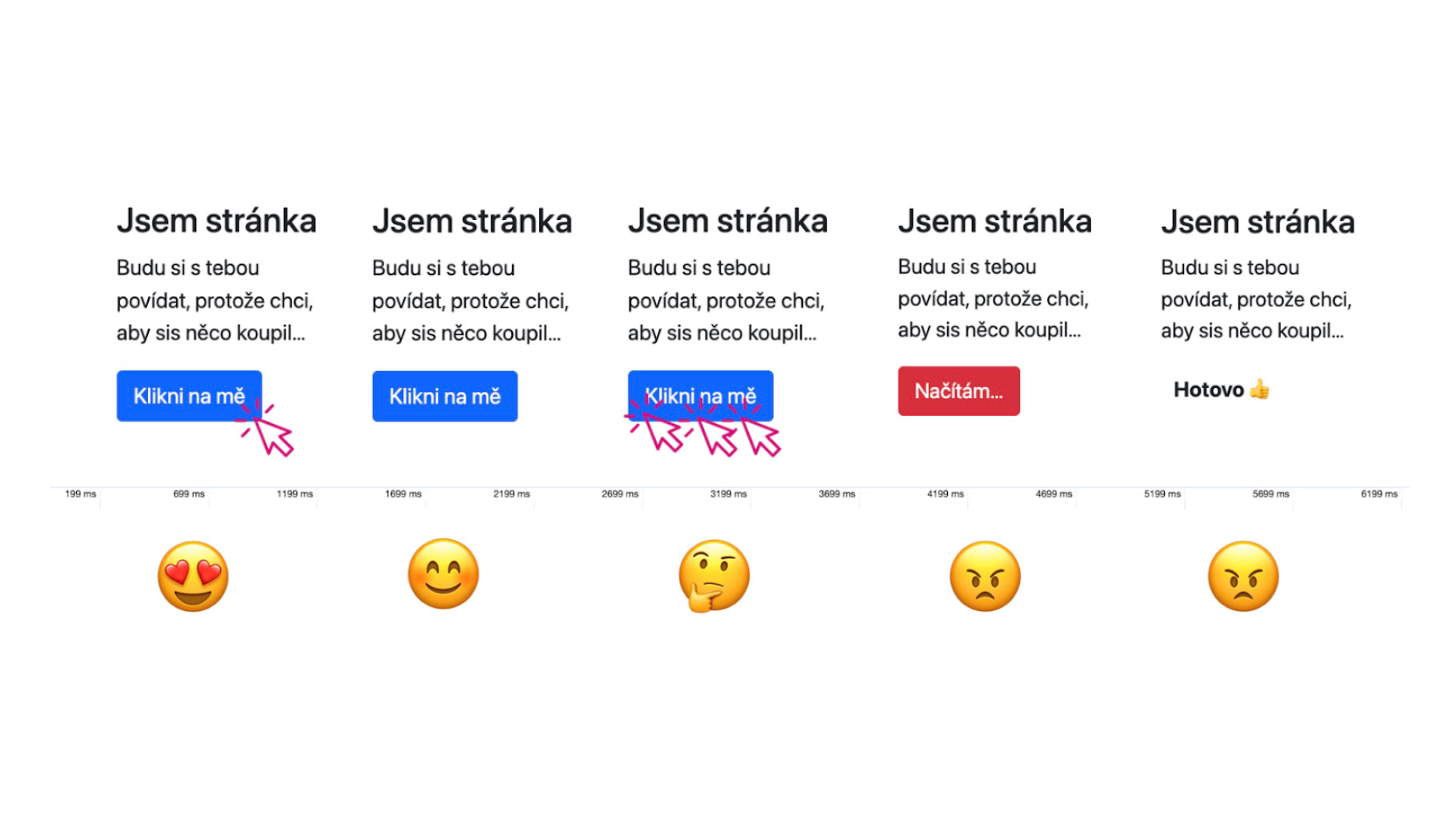
If an interaction triggers a long server or client operation (AJAX/fetch), ensure the UI responds quickly. Provide an immediate visual cue, and aim for UI updates within 200 ms, with a loading indicator to reassure users.
7) Optimize React beyond hydration
When optimizing React (and similar frameworks), watch hydration. Hydration can be a heavy bottleneck as the browser parses and reconciles server-rendered markup with client-side code.
From our practices, we’ve found these strategies helpful:
- Reduce DOM size
- Create lightweight and full-feature versions of components
- Use <Suspense>
- Watch for hydration errors
- Be cautious with useEffect
- Consider Server Components
See our full article on the basics of React optimization.
Core Web Vitals optimization topics are covered in depth in our other pieces: