CLS Metrics Optimization
Hello to all speed-focused readers! In December 2023 I gave a talk at the Frontendists meetup about the CLS metric, highlighting common CLS problems we see on our clients’ sites and how we help remove them.
Let’s explore how to avoid CLS issues and how to fix them when they occur.
Read on or watch the recording:
1) Aspect-ratio, dimensions, min-height
Every element on a page has a size. It can be an image, a video, an iframe, or another web component. When the page loads, the browser reserves space for this element before it renders it. You can learn more in this article: CLS: Image dimensions and aspect ratio.
2) Font size-adjust
Use CSS descriptors size-adjust and [ascent-override] to align system font metrics with the web font you’re using. Ensure the system font rendering closely matches your web font.
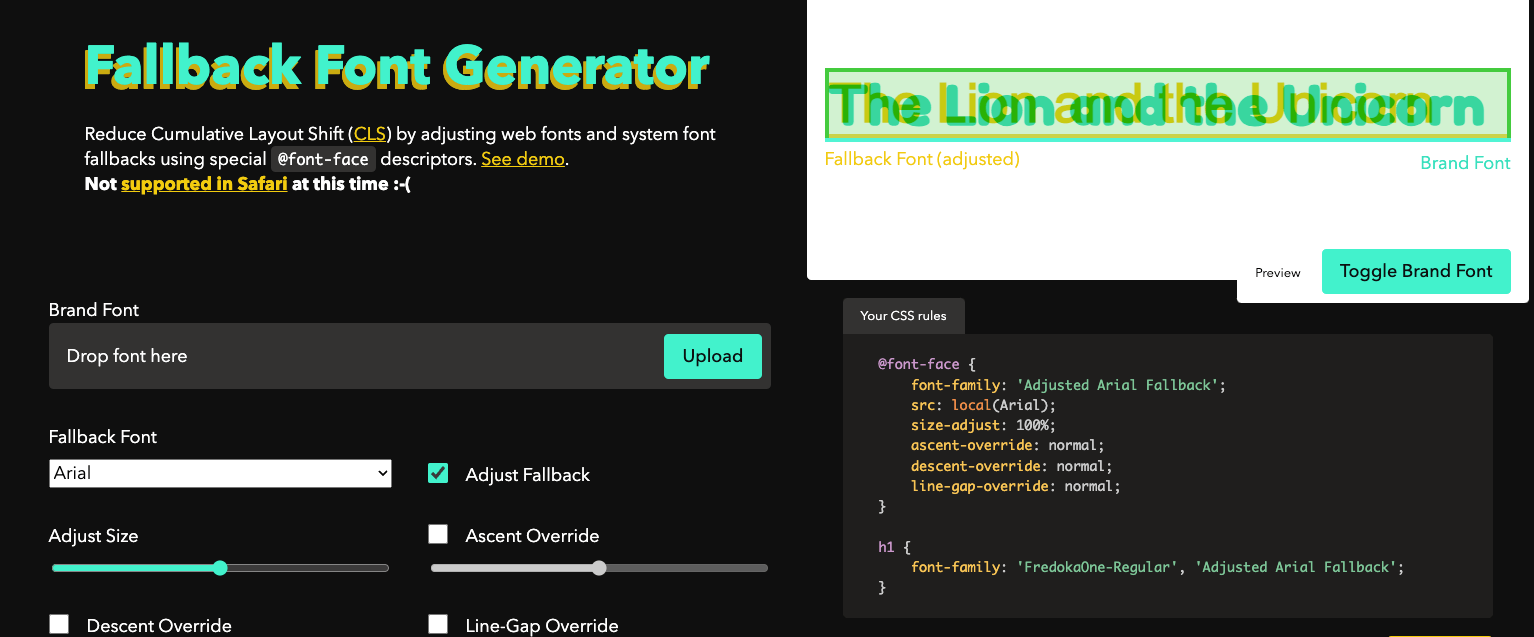
Creating these descriptors is straightforward. For example, you can use this generator. Don’t load your own web font directly; adjust outlines with sliders so the system font proportionally matches.
For Google fonts, individual settings are already prepared, e.g. on this page: [perfect-ish font fallback]. You’ll also see how the result looks.
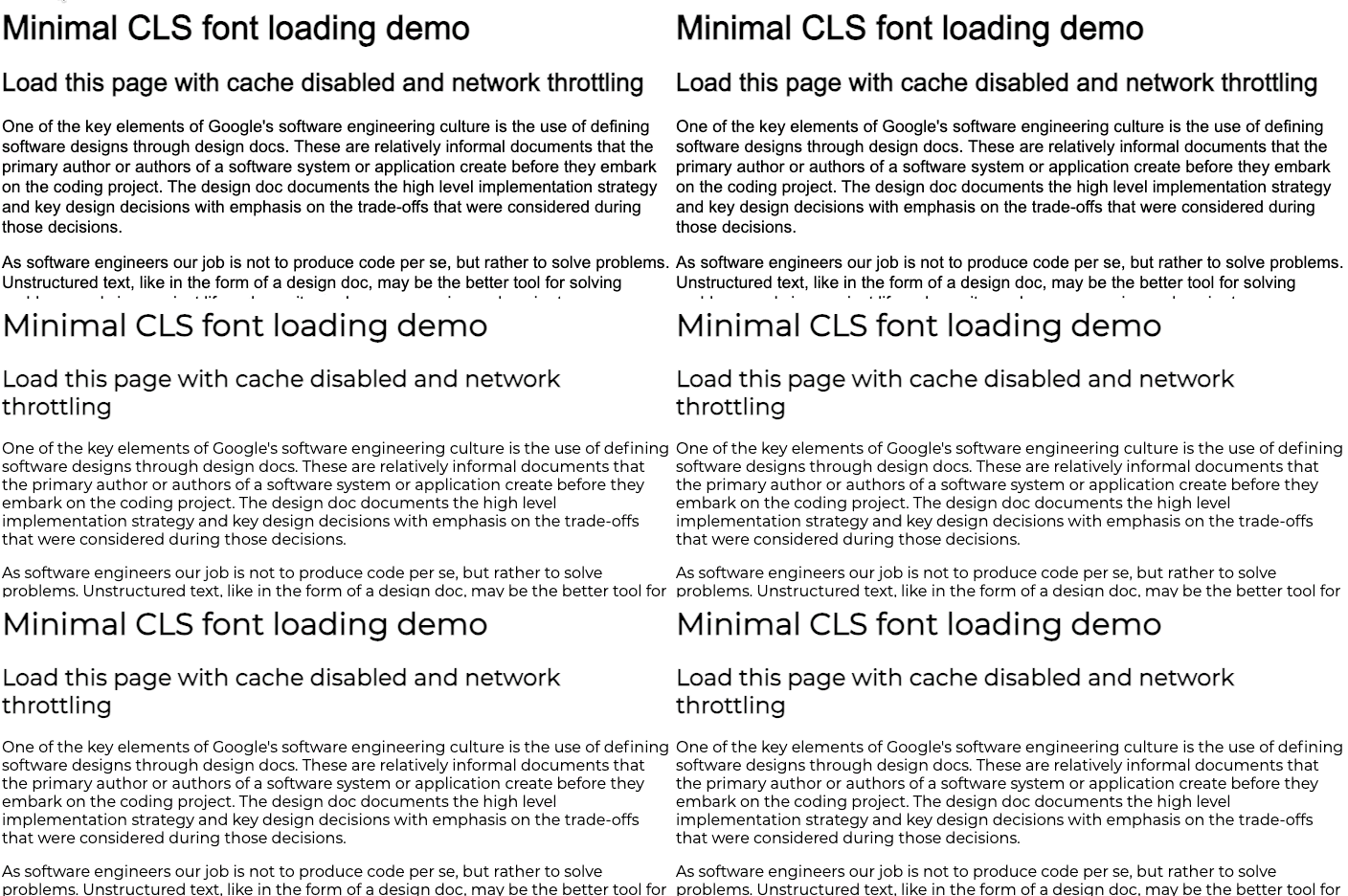
Image showing layout changes after loading the web font “Here you can see how the layout and paragraph placement shift after the font loads.”
Tool for tuning system font size “A tool to tune system font size [screenspan.net/fallback].”
3) Progressive content loading
When rendering, the browser scans HTML, begins downloading resources, and processes them. Pages are often built from components like header, main content, and footer. Sometimes the main content has a complex structure or lots of data.
If you’re using a JavaScript framework (Vue.js, React, etc.), the main content JavaScript may load slower than the header and footer JavaScript. If the footer renders first and pushes the main content down, you can experience layout shifts.
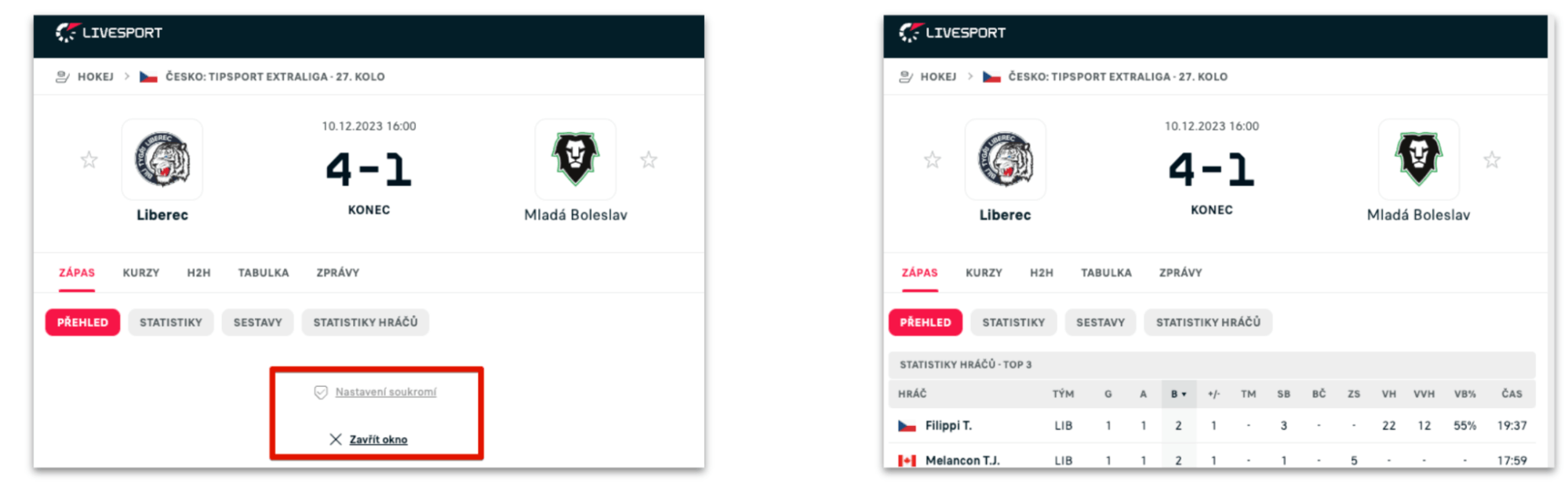 “Main content loaded late and pushed the footer.” A layout shift results.
Solutions vary; it depends on the app type:
- Prefer SSR (server-side rendering) for as many elements as possible.
- Load the footer after the main content.
- If you can’t control script timing, move the footer off viewport on initial render by giving the main area a min-height: 100vh.
Tip: Our Pagespeed Tester can detect CLS issues and with Hlídač monitoring alert you to changes via Teams, Slack, or email.
4) Content (including) in modals and AJAX
If you use AJAX to load data, ensure the content has reserved space and doesn’t push content beneath it.
This includes stock levels, product descriptions, specs, prices, and other tables. Ads and ad boxes can also surprise you with unknown heights.
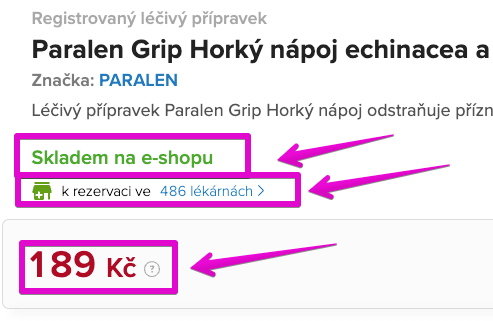 Information loaded later than the first render pushes content and increases CLS.
The solution is to provide appropriate placeholders where content will render later. If you don’t know the future height (e.g., ads), provide at least a placeholder with a minimum height to reduce CLS impact.
Tip: It’s better to use a placeholder smaller than the final content than to have no placeholder at all.
5) CLS after user interactions: clicks, hover, or touch
CLS isn’t limited to initial render. It continues to accrue as users interact with the page.
If content changes after a user action (click, touch, hover), the entire interaction must complete within about 500 ms to avoid layout shifts.
Example: AJAX pagination on a product listing.
- User reaches the bottom of the page.
- Clicks “Load more.”
- A query loads additional products in the background.
- New HTML is inserted.
If this process takes longer than ~500 ms, a layout shift can occur, pushing the footer down.
If you can’t fetch data quickly, render a placeholder immediately after the interaction so the new content appears without shifting.
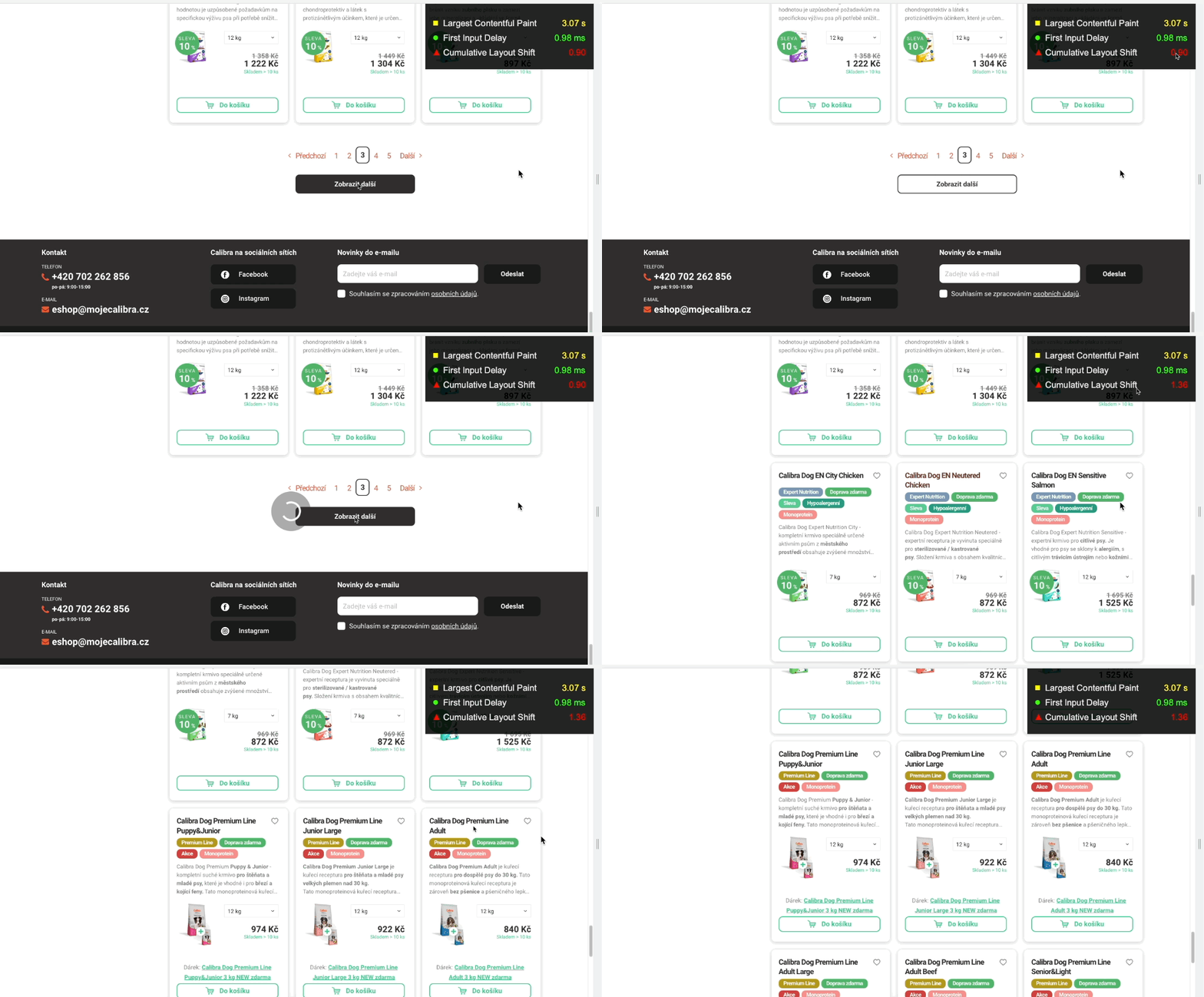 “Interface latency should complete within 500 ms.”
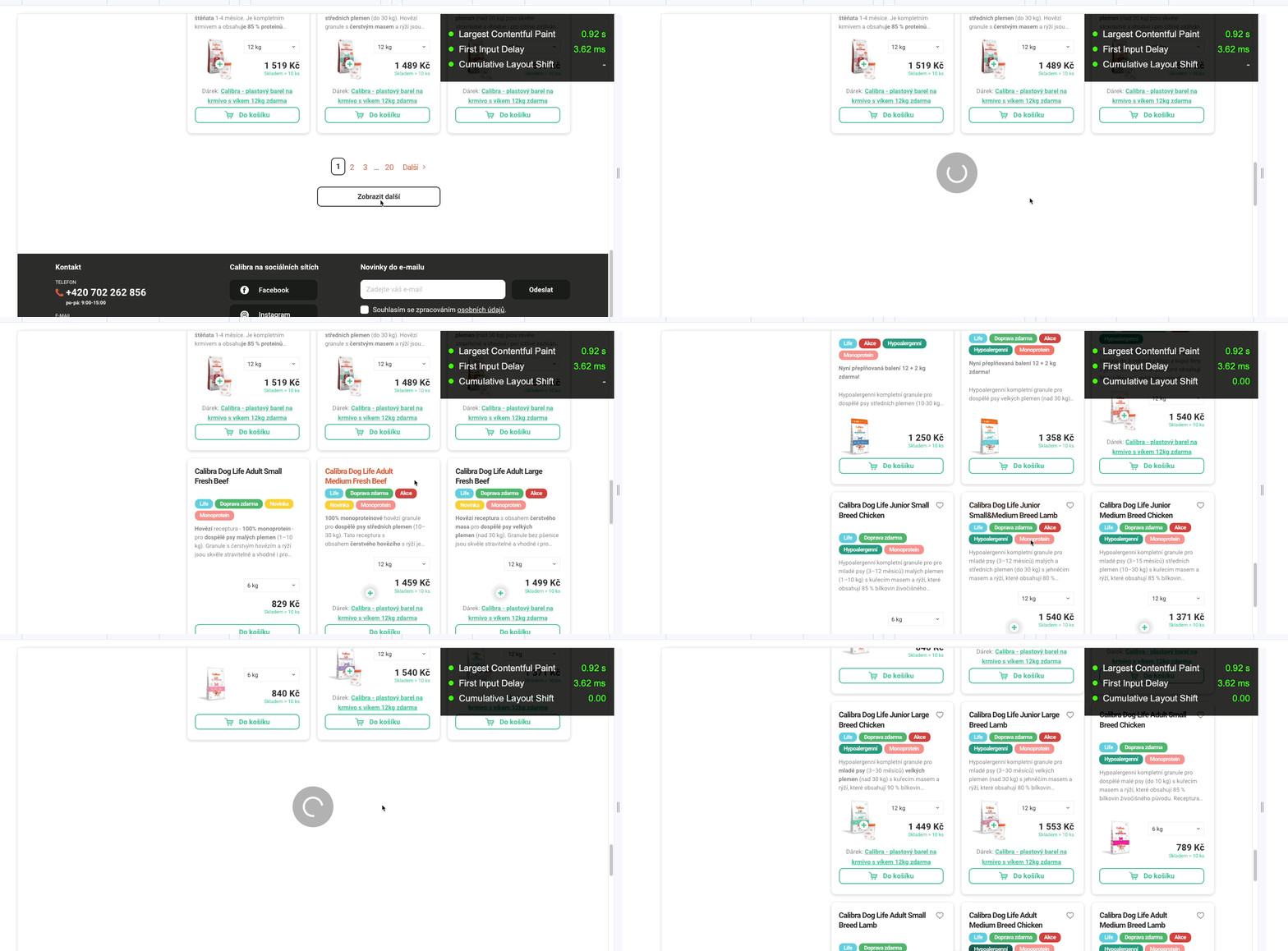 “Using a placeholder avoids layout shifts.”
6) Animations should be CSS transforms only
Animate backgrounds, boxes, or overlays with CSS transforms to avoid CLS penalties.
If an element in a layout area—like a menu or a sidebar—animates poorly, CLS can affect the domain’s overall score.
- Use CSS transforms for animation to avoid layout shifts.
- If you need to move elements, avoid changing top/right/bottom/left; instead use transform: translate().
- Prefer transform and scale over changing height or width.
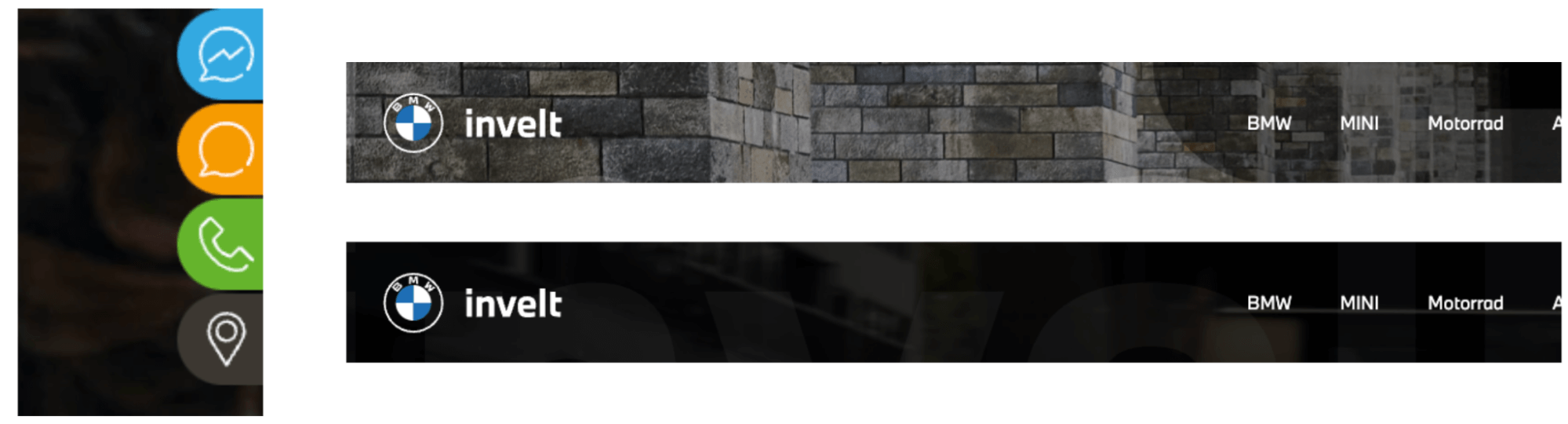 “Right-to-left animated buttons or overlay animations can heavily worsen CLS.”
Final tip
If during testing your CLS jumps to 1.00 or higher, try forcing a vertical scrollbar by applying overflow-y: scroll with height: 100% on the html element. This can stabilize layout during rendering.
We cover Core Web Vitals optimization in our other articles: