Test Settings
Getting the setup right is crucial for accurate speed measurements, so please read this text carefully.
Before you continue reading, make sure you know how we test your websites and understand the differences between speed data from CrUX (Chrome UX Report) and synth. The configuration is essential especially for professional web speed monitoring with PLUS tests.
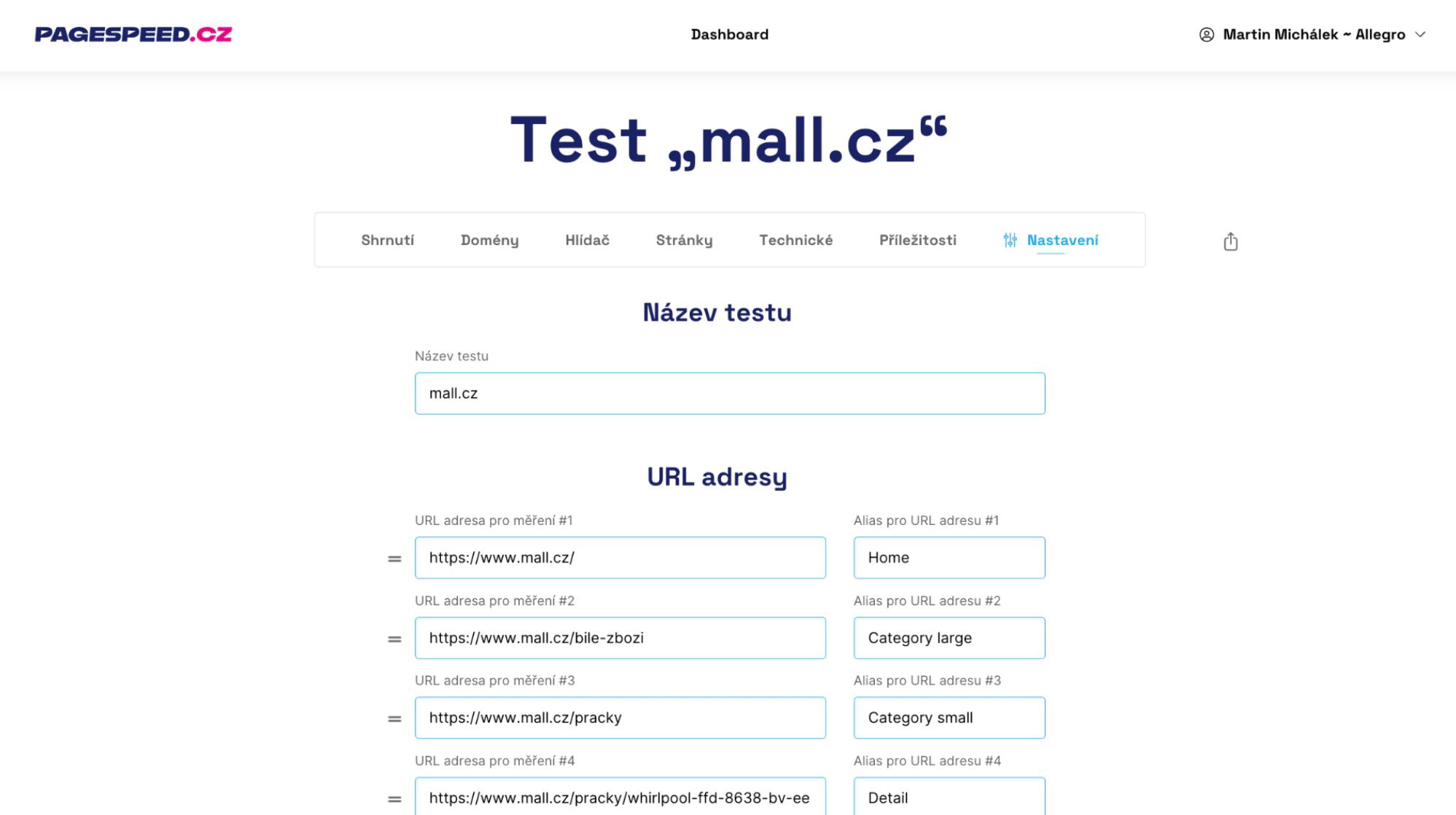
In the test settings you mainly need to keep in mind the following:
- Choose the URL for detailed testing (both synth and CrUX).
- Select the domains (yours and competitors').
- Set up change alerts (email, Slack, Teams).
Now let's take a closer look at the individual parts of the test setup in the monitoring app at app.pagespeed.cz.
Test Name
Choose a test name. Examples: “Web XYZ.cz”, “Competition for XYZ.cz”… If you don’t enter a name, we’ll name it after the domain of the first URL. You can change it anytime.
The name identifies the test in your team’s dashboard.
URLs
Enter the URLs of the pages you want to test and obtain CrUX data (speed from Google users) or synthetic measurement results (from our tests), including data from Watchdog.
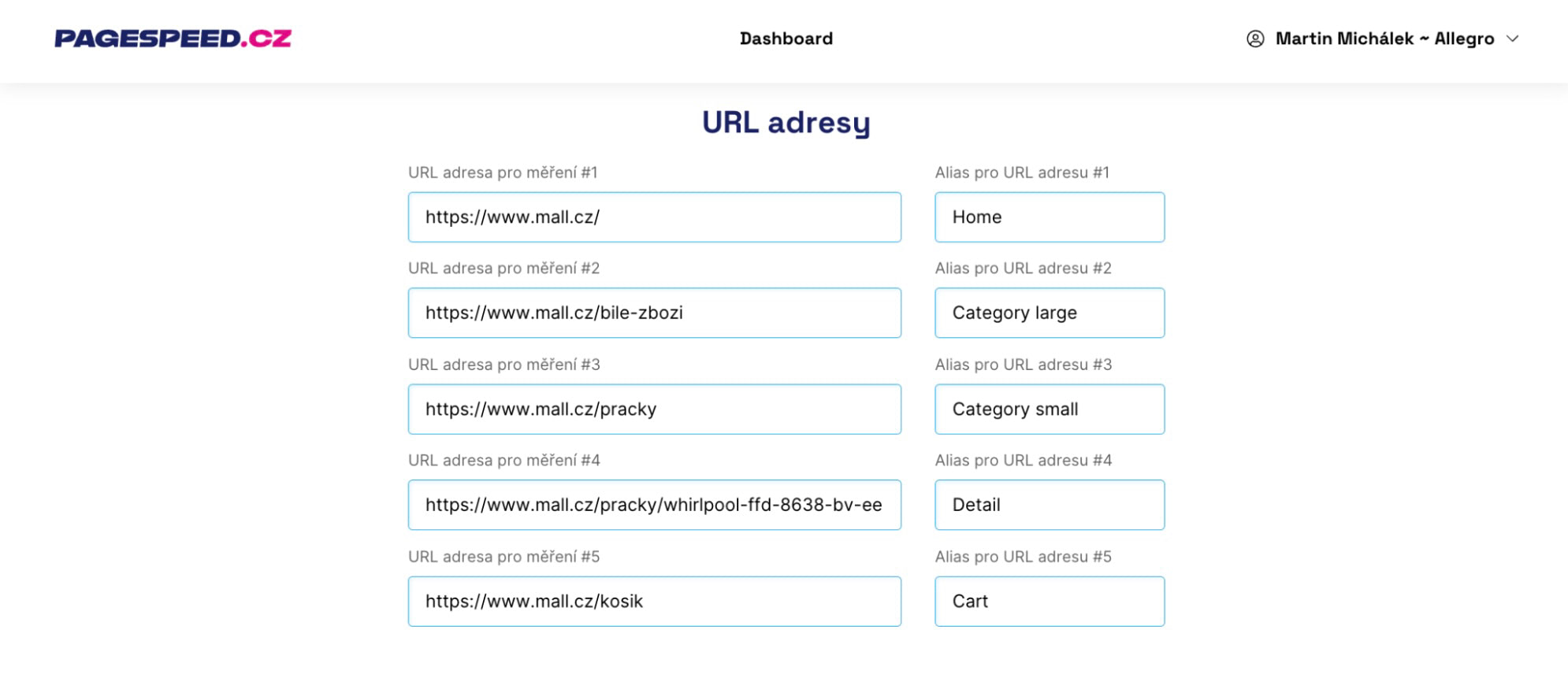 Set the correct input URLs for testing.
We recommend listing the most important typical pages of your site here. Also add a label (alias such as “Homepage” or “Product”) to simplify your charts.
🔒 In free tests you can enter up to three URLs; in PLUS tests you can enter up to five.
Warning: Changing the URL settings will update all graphs, reset the Watchdog thresholds, and add an automatic note to the graphs.
These URLs will appear in the [Pages] report and the [Technical] report.
Well-chosen URLs meet these criteria:
They cover all the main page types
For example, with a small online store this would be the homepage, product category, product detail, and perhaps a blog post.
Measuring the cart is not as critical since it isn’t an entry page, but for larger sites we do recommend it.
They are the most visited URLs and have CrUX data
If you don’t count the homepage, most page types will offer multiple URLs. Always choose the most visited ones, as they are more heavily used and have a greater influence on Google's CrUX data.
It’s also helpful if these URLs have their own CrUX data. Not every URL has CrUX data. Even large sites will have only dozens of URLs with their own data. If the entered URLs do have CrUX data, it will simplify measuring changes.
To verify whether your URL has CrUX data, the easiest way is in [PageSpeed Insights]. Enter the URL and check whether the data appears under the “This URL” toggle.
They are content-rich pages
Always choose typical pages that contain multiple content components. For example, ecommerce sites often have simpler and more complex category pages.
Prefer the more content-rich pages, as they reveal more potential UX issues.
Your selection can be guided by Google Analytics or Google Search Console, where you can see their traffic.
Watch out for URLs with parameters
You might want to include parameterized URL variants, for example:
example.com/some-url
example.com/some-url?id=203
example.com/some-url#anchor
From CrUX data perspective, all of these URLs are treated as the same because anchors and parameters after the question mark aren’t stored in CrUX data.
URLs should come from a single domain
To ensure Watchdog and other reports work correctly, avoid mixing URLs from different domains or subdomains.
Exceptions exist when different page types live on different domains, such as:
www.heureka.cz
mobilni-telefony.heureka.cz/xiaomi-redmi
Domains
Enter your domains. In the [Domains] report and other reports you’ll see Google’s speed data for these domains (CrUX).
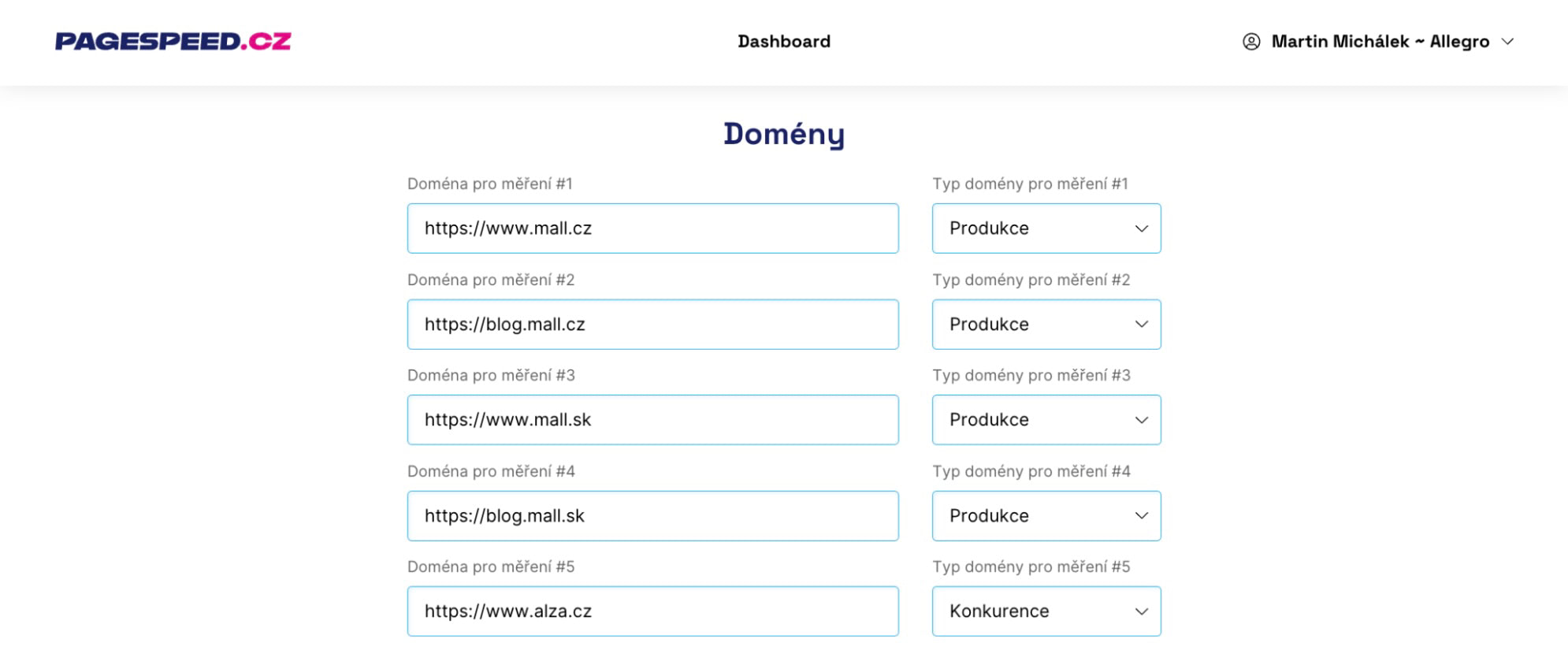 Set your own domains as well as competitors.
In addition to your main domain, we recommend adding:
- competitor domains
- language variants of your site
- subdomains that receive significant traffic
Choosing the domain type helps organize reports and, especially, email notifications, so don’t forget to select them. If you mark a site as “Competitor” or “Other,” we won’t send notifications about changes for it.
🔒 Free tests: up to 3 domains; PLUS tests: up to 5.
What if five URLs or domains aren’t enough?
Some of our clients need more than five URLs or domains. Large sites often have more entry pages to test.
Others have many language variants they want tracked at the domain level. In such cases you can add more URLs or domains for an extra fee, up to 20. See pricing.
If you’re interested, email info@pagespeed.cz with subject: Monitoring PLUS: interest in expanding tests.
How to test sites behind authentication?
We can test sites behind a login, but usually some preparation on your side is required.
Testing behind HTTP authentication is possible, but expect a slowdown in loading speed.
Another option is to detect our bot and remove authentication for it.
The other option is authentication via htpasswd. If you choose this, please email info@pagespeed.cz with subject: Monitoring and authentication.
Watchdog speed alerts
🔒 This feature is available only for PLUS tests.
Receive alerts if the Watchdog detects significant slowdowns or improvements in the tested URLs.
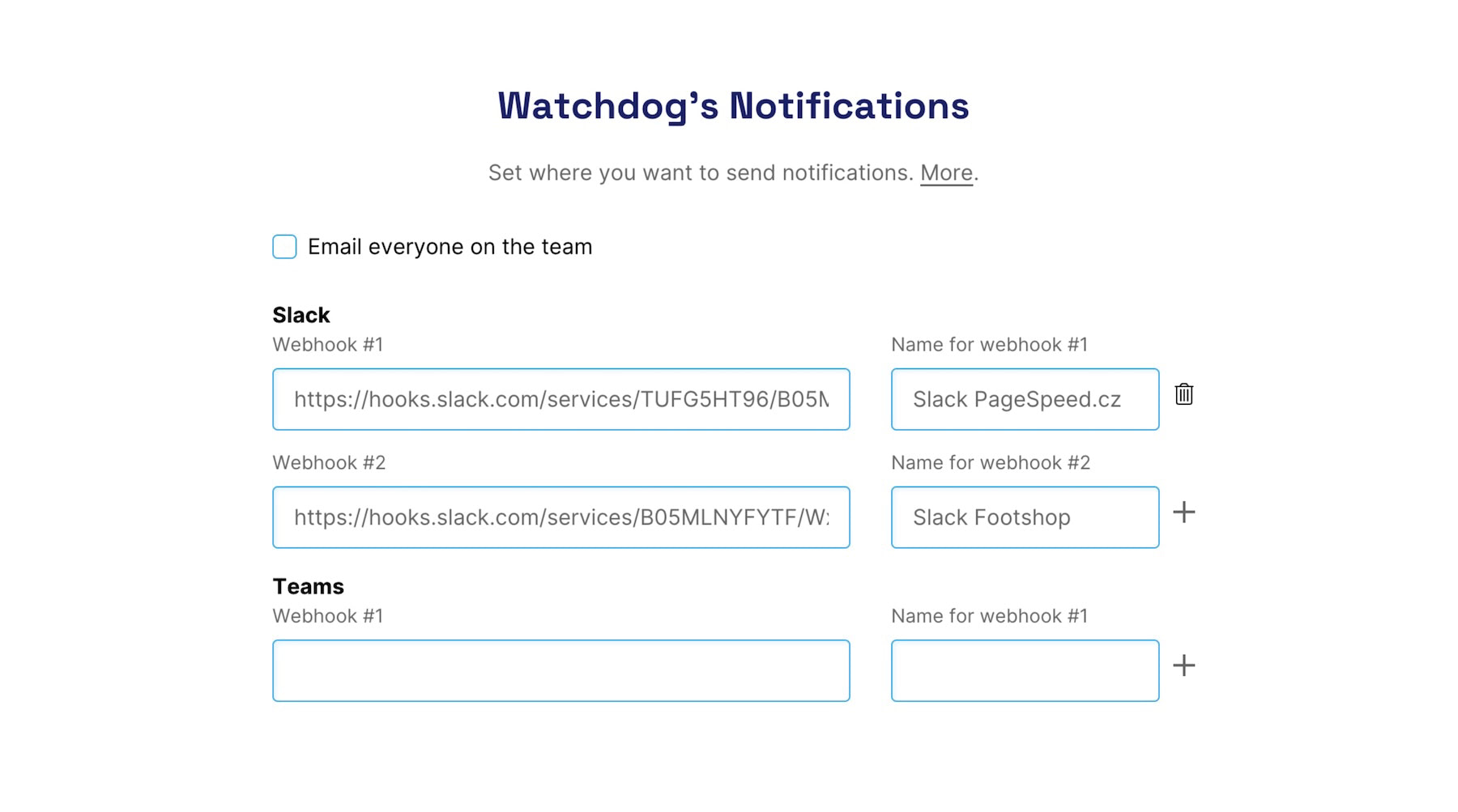 Make sure Watchdog alerts reach the channels your team uses.
By default, alerts are emailed to all team members until they opt out.
If you use Slack or Teams for internal comms, we recommend adding a channel and sending alerts there.
You can, of course, add more channels. One for developers, another for an agency. We recommend naming these channels to keep them distinguishable.
For more information, including how to set up Slack or Teams notifications, see the Notifications help.
Start time of testing
🔒 This feature is available only for PLUS tests.
Adjust advanced settings only if you know what you’re doing.
In the “Test Start Time” field, choose the time when tests should begin each day. This can be useful if testing conflicts with maintenance windows or nightly cron jobs.
Note that the test start time is approximate. Tests run within a window of several tens of minutes around the set time.
The default approximate start time for PLUS tests is 4:00.
All set? Explore now the next parts of our speed monitoring and focus especially on the Speed Watchdog.
