Time To First Byte (TTFB)
The Time To First Byte (TTFB) metric measures how quickly the browser receives the first byte of the HTML document. It thus reflects the speed of the server and the network. In Czech we would say “time to first byte.”
TTFB indicates the speed of the server (or infrastructure), the backend parts of the application, and the network between the server and the user’s browser.
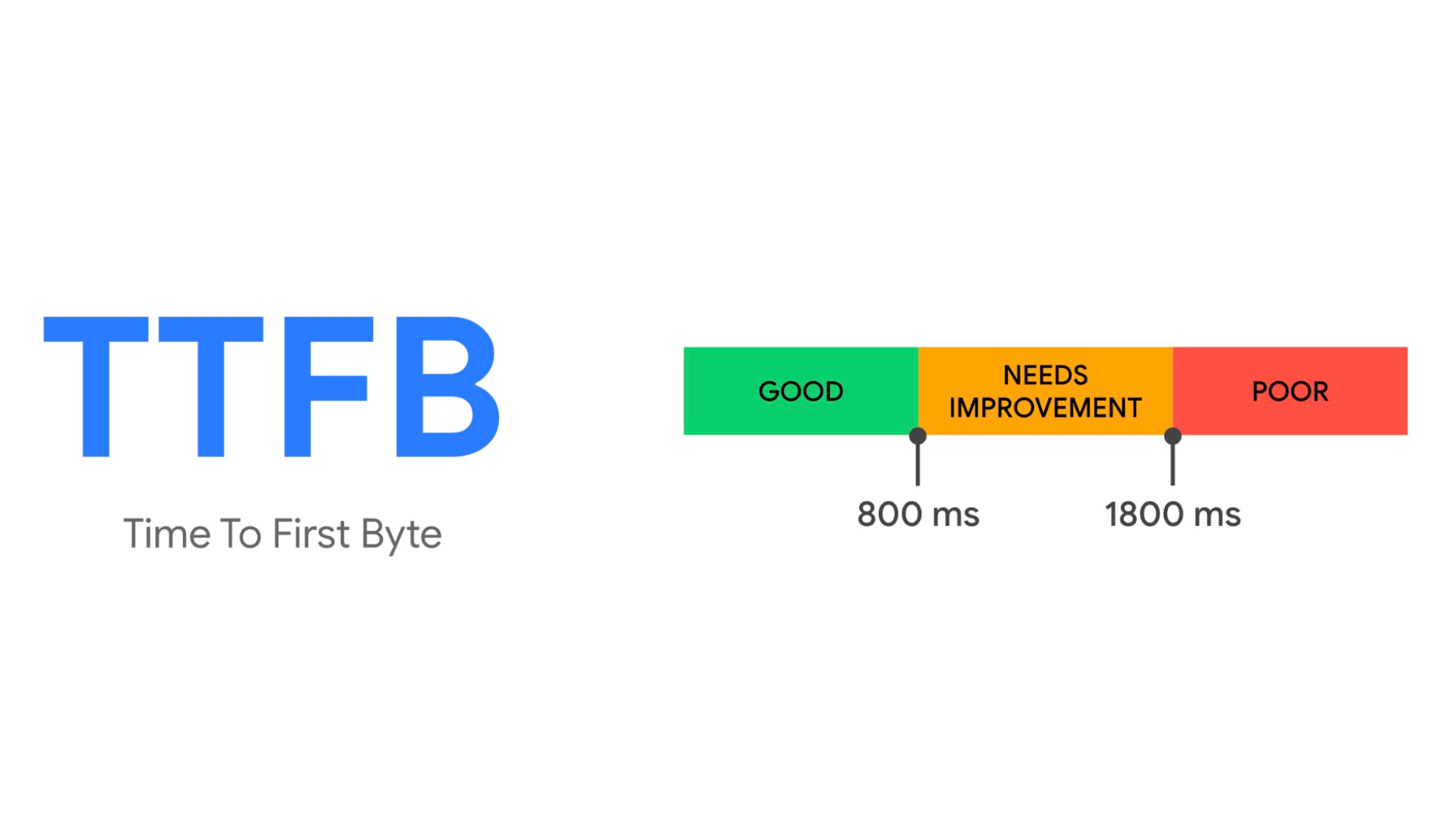
We recommend keeping TTFB as low as possible, ideally under 0.5 seconds for all typical pages, with Google recommending up to 0.8 seconds.
Why TTFB matters
Impact on the LCP metric
TTFB directly affects the FCP and LCP metrics. If your TTFB is above 2.6 seconds, you cannot render the LCP element in under 2.5 seconds, per Google’s limit.
LCP reflects the combined speed of the backend (TTFB) and the frontend (downloading and processing HTML, CSS, and JS).
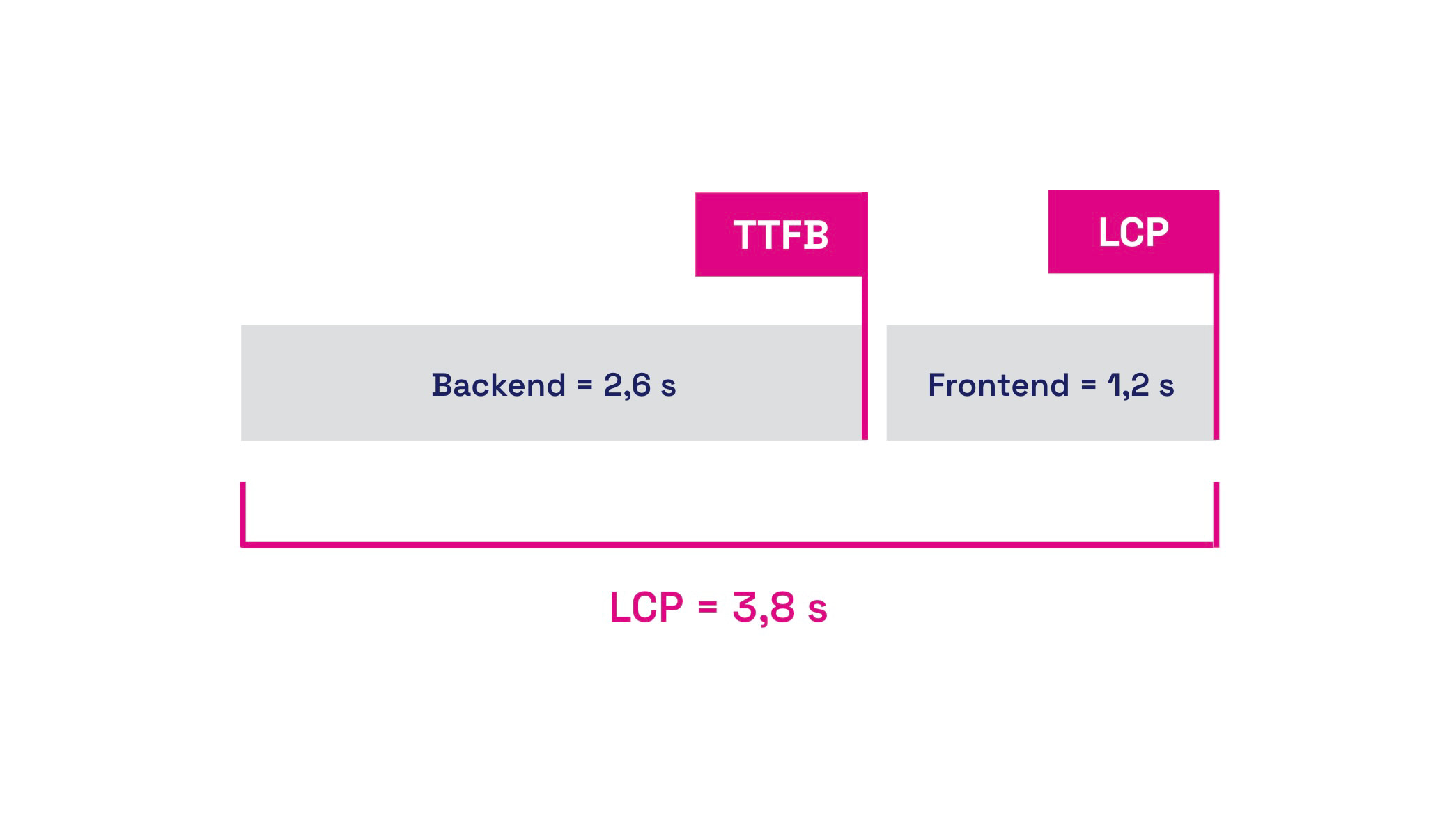 "Backend (TTFB) + frontend speed = LCP."
Impact on Crawl Budget
TTFB also matters for search engine crawl budgets. Crawl budget indicates how many pages a search engine crawler can crawl and index. This is especially relevant for large sites.
If your server responds slowly, the crawler will crawl fewer pages.
Impact on Web Vitals and thus SEO or PPC
Backend speed affects not only page speed but also search rankings. Because it directly influences LCP and other Web Vitals, faster backends help improve SEO and even PPC performance by impacting the Quality Score.
How we can measure TTFB
Chrome Web Vitals extension
Using the Web Vitals extension in Chrome, you can see the TTFB value for individual pages. The console also reveals a wealth of information about which parts of TTFB to focus on during optimization.
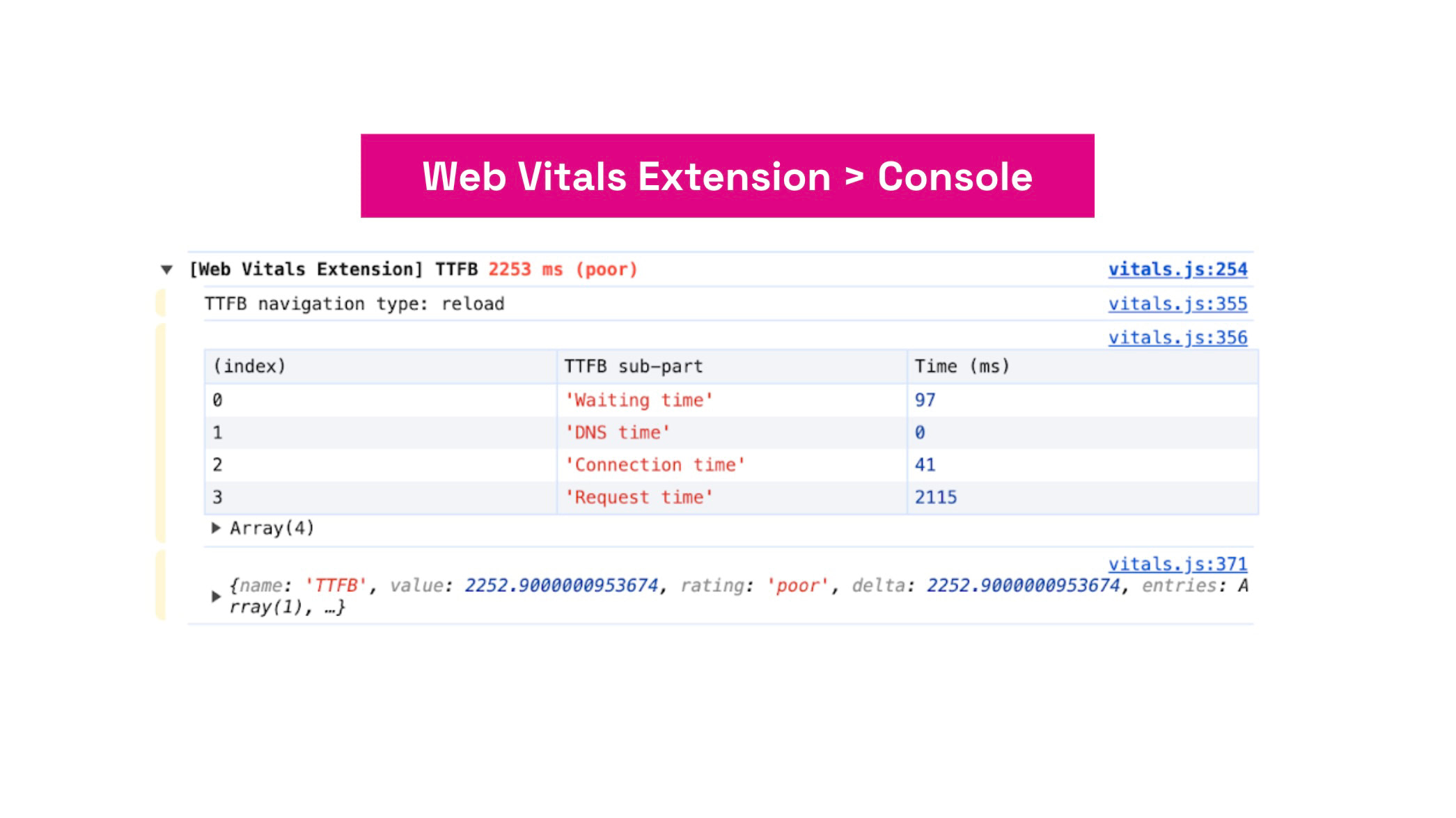 "Web Vitals extension."
Read more about measuring speed directly in the browser.
Data from Google users (CrUX)
With the PageSpeed Insights tool you can view the TTFB value for each URL separately or obtain data for the entire domain.
PageSpeed.cz Monitoring
In our monitoring PLUS we show not only the current TTFB value for individual URLs or the whole domain, but also illustrate its historical changes with a chart.
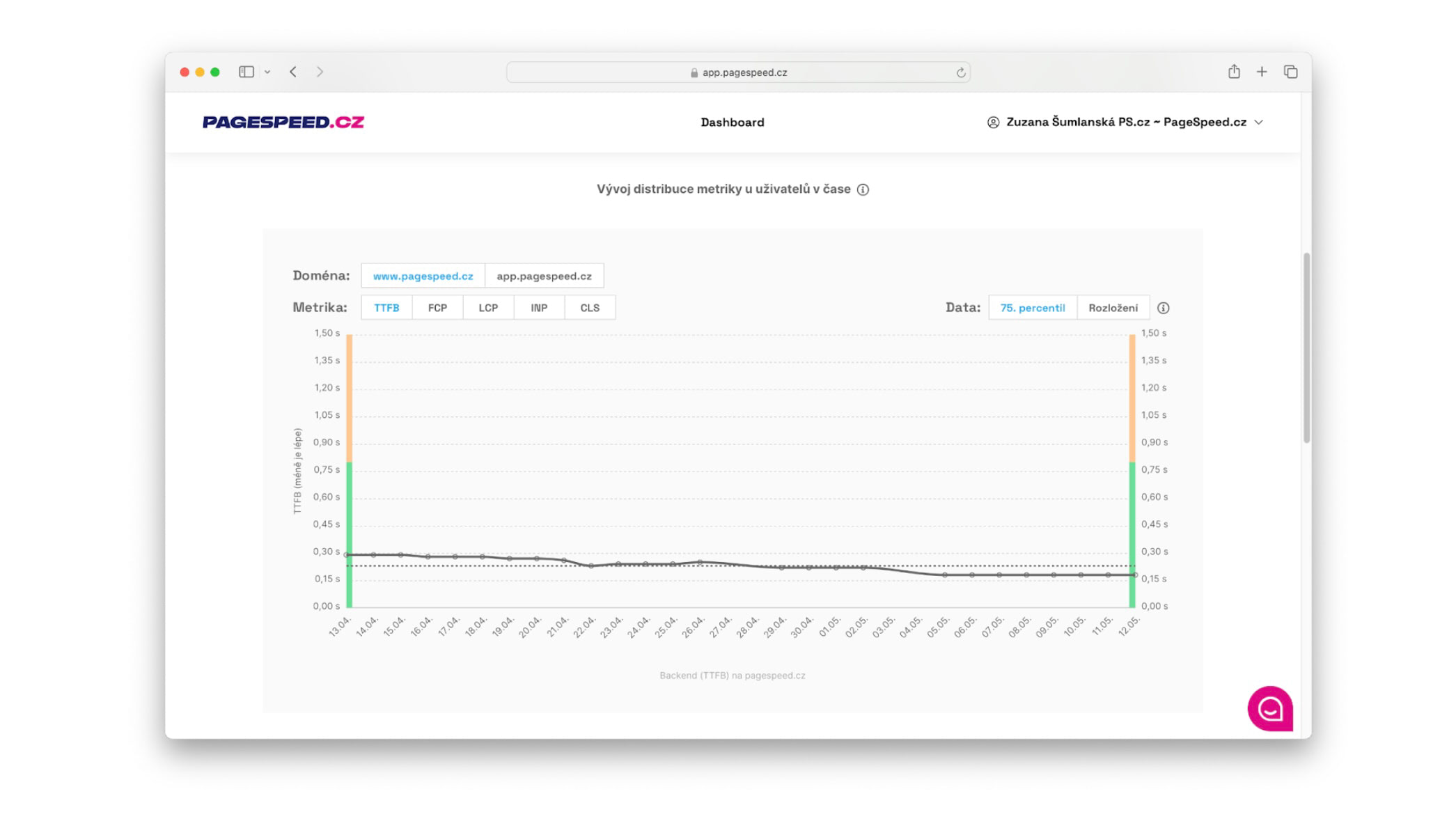 "TTFB metric in app.pagespeed.cz."
We have data from both real users (CrUX) and synthetic measurements (synth). (See the different types of web speed measurements.)
How to optimize TTFB?
There are many ways to optimize the backend. Always base decisions on measurement data. Here are some examples.
Increase server performance or upgrade hosting
Discuss with your server administrator options to upgrade memory, replace CPUs, or move to faster SSD-based storage. Faster hardware responds more quickly to user requests. Newer storage technologies speed up database operations.
Properly configure server-side caching
Review your caching settings for database queries and template caching. Server-side caching can significantly reduce load and improve load times by serving frequently requested content as static versions, enabling the server to respond faster without reprocessing queries.
Optimize database queries
Identify the slowest database queries and optimize them. Developers should regularly review and optimize database queries and server configurations to ensure maximum performance and code efficiency.
Move to a cloud solution
TTFB can also be improved by migrating your infrastructure to a cloud solution and leaving operation to global providers.
Keep your stack up to date
Keep your development stack current. For example, run the latest PHP versions, stay on the latest JS framework releases, and adopt the latest best practices offered by development platforms.
TTFB optimization and backend performance are foundational, whether you’re optimizing WordPress, Shoptet, Drupal, or a site built on another CMS.
Read our in-depth article on how backend developers can help speed things up.
Regular updates not only speed up server response but also help prevent security threats and attacks on your infrastructure.
For more information on speeding up server response times, see the Chrome Lighthouse docs.