First Contentful Paint (FCP)
First Contentful Paint (FCP) is a metric that measures the time from the start of page load to the moment the browser renders the first piece of content on the page.
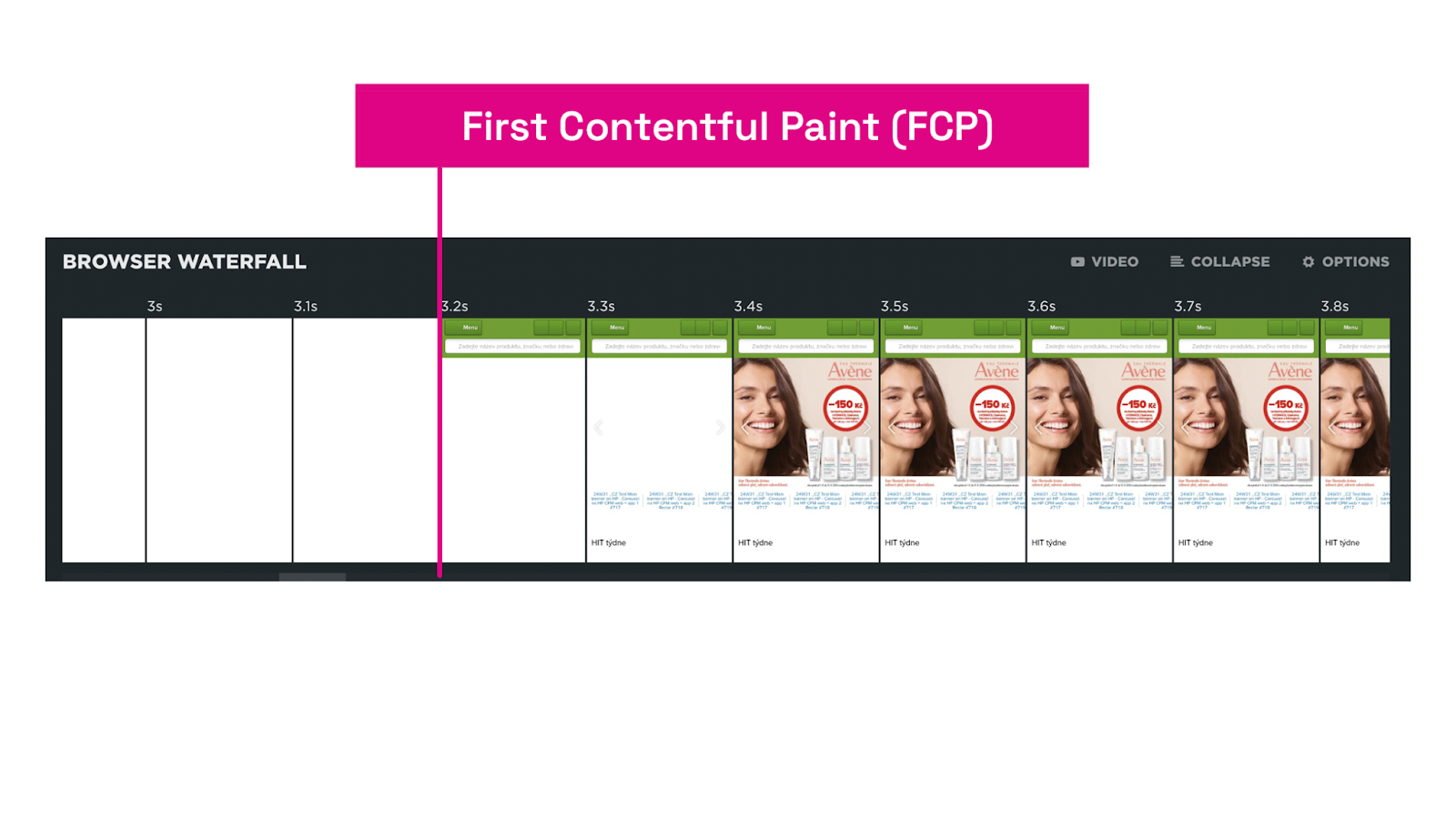 FCP metric: first content display on the page.
FCP is the metric of the first render and occurs in the interval between the backend time (TTFB metric) and the time to load the largest element (LCP). Unlike these metrics, however, FCP is not part of Core Web Vitals.
For the FCP metric, “content” means text, images (including background images via CSS), <svg> elements, or other non-blank content drawn on a <canvas>.
Why FCP matters
Measuring FCP matters because the first content on the page shapes the user's initial impression of your site's speed.
A fast FCP signals that the site is responsive and begins rendering the expected content quickly, boosting user satisfaction and potentially improving SEO.
What are ideal FCP values?
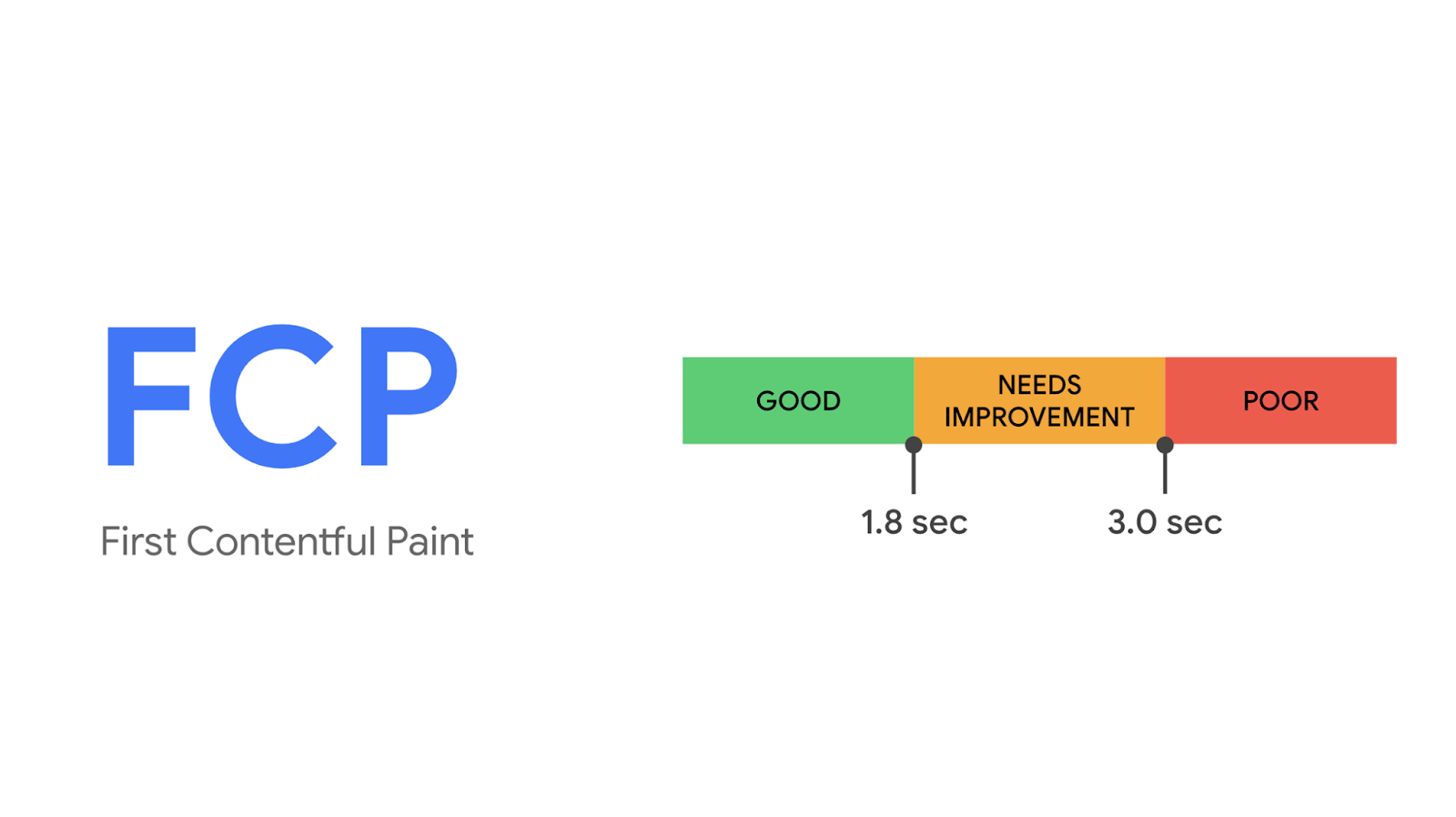 Ideal FCP value is under 1.8 seconds.
We recommend keeping FCP as low as possible, ideally under 1.8 seconds on typical mobile and desktop pages. Google also endorses this target.
How to measure FCP
Chrome Web Vitals extension
With the [extension] in your browser, you can see the FCP value for individual pages on your site. In the console you’ll find more details on which parts of FCP to focus on during optimization. Much of FCP is influenced by backend speed (the [TTFB] metric).
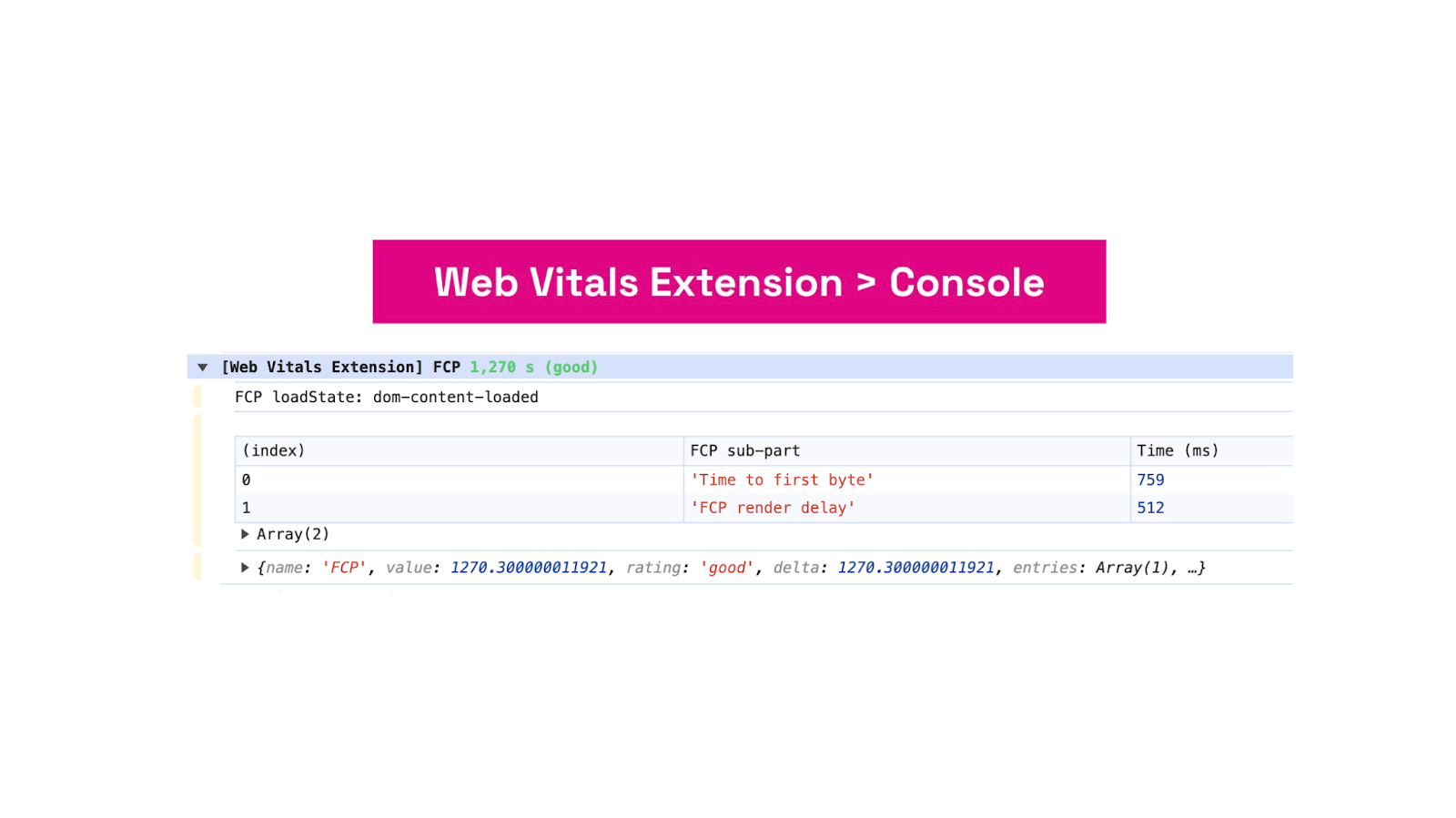 The Web Vitals extension surfaces detailed FCP information in the browser console.
Learn more about measuring speed directly in the browser.
Data from real users (CrUX)
Using the PageSpeed Insights tool or our [app.pagespeed.cz tester] you can view the FCP value for each URL individually or obtain data for an entire domain.
PageSpeed.cz Monitoring
In [Monitoring PLUS] we show not only the current FCP for individual URLs or an entire domain, but also a historical view of how the metric has evolved.
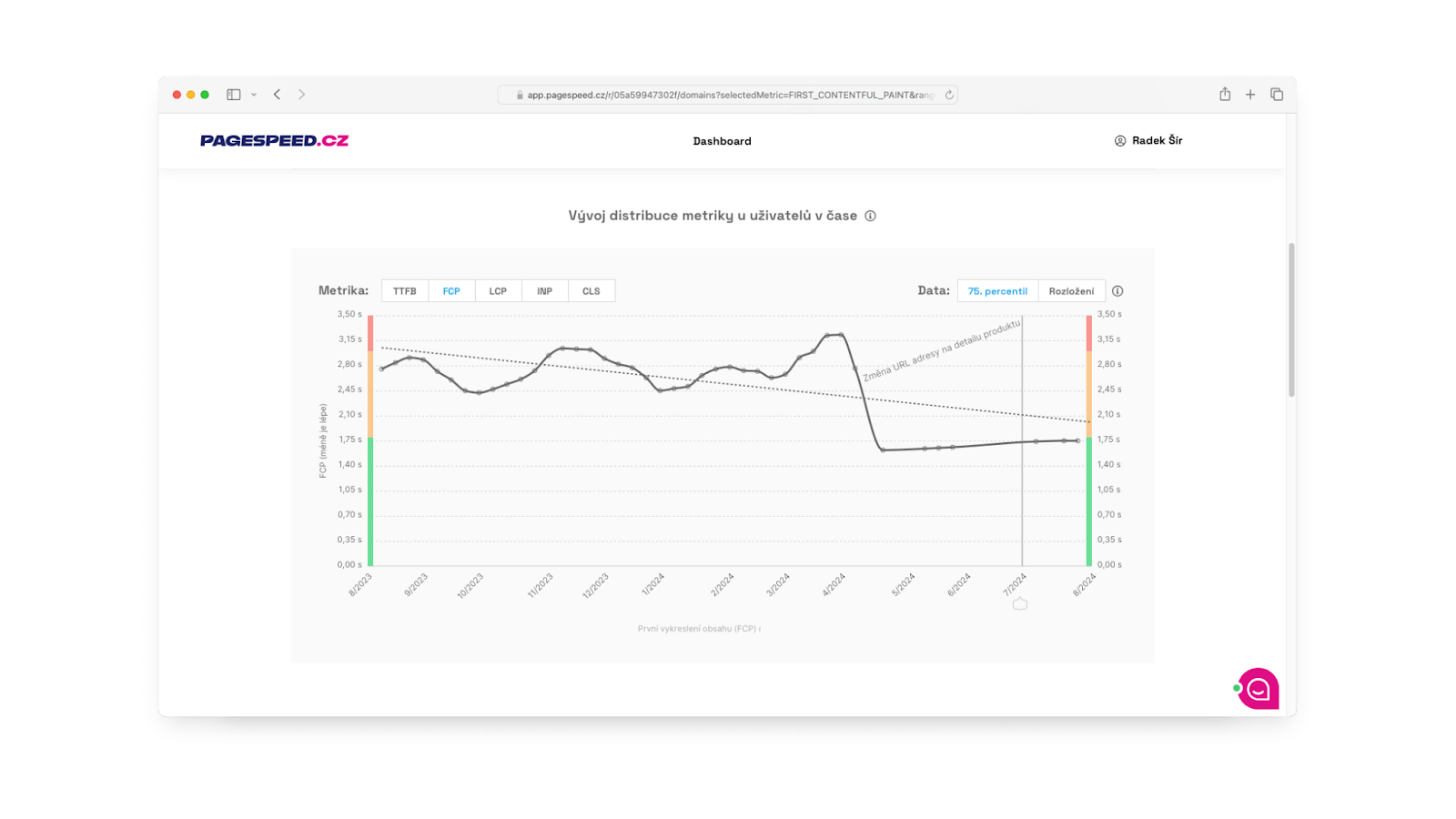 FCP metric in app.Pagespeed.cz.
We combine data from users (CrUX) with synthetic measurements (synth). (See the various types of web speed measurements.)
Using Watchdog we display the ongoing daily evolution of synthetic FCP values, as well as other metrics, and send notifications.
Speed drives conversions, but it can falter. Let us monitor it while you focus on business. Switch to Monitoring PLUS.
How to optimize FCP
Optimizing FCP involves several key steps. Always start from measurement data. Here are some common opportunities to improve FCP.
Reduce server response time
Optimize the backend (the [TTFB] metric) for faster HTML retrieval and processing. The quicker the browser processes the HTML, the sooner critical resources for the first content render begin to download and be processed.
Minimize render-blocking resources
Reduce the number and total size of CSS files, web fonts and JavaScript files needed to render the first content.
Split CSS into smaller parts. Load on the page only the CSS rules you actually need.
If the initial content doesn’t depend on JavaScript (as with frameworks like Nuxt.js, Vue.js, React, Next.js, etc.), ensure you load JavaScript asynchronously.
Use as few font families and font formats as possible. Use the CSS property font-display: swap to show fallback fonts while the main fonts load.
Leverage Server-Side Rendering (SSR)
If your site uses a JavaScript framework, always aim to have the first content in the initial HTML document. You won’t have to wait for JavaScript to download and execute.
Use lazy loading to defer non-critical resources
Defer loading images or JavaScript files for elements not visible in the initial viewport. For images, use [lazy loading].
For a deeper understanding of these optimization techniques, explore available tools and guides, for example on web.dev, which offer concrete tips and steps to improve FCP.
Tags:MetricsCore Web VitalsFCPCrUX
PreviousCore Web Vitals (CWV)NextInteraction to Next Paint (INP)