PageSpeed.cz Score (SPS): How we measure web speed for users?
The world of web speed and its measurement is complex for non-experts.
Let’s start with the metrics. To understand your site’s true performance for users, you need to track at least six values from the Core Web Vitals for each of your domains or subdomains.
That’s why we introduce a single number that serves as a proxy for Core Web Vitals on mobile and desktop. We call it the PageSpeed.cz Score (SPS).
This document explains why we took this approach and how the SPS is calculated.
Why a single number to represent your site’s overall speed?
To know your users’ real experience, you need:
- Differences between measurement types (CrUX, synthetic, RUM) [docs/ synth-crux-rum].
- Details on how Google collects data from users, i.e., the Chrome UX Report [docs/crux].
- The values of all three Core Web Vitals metrics — LCP, CLS, INP — for all your sites, and separately for mobile and desktop.
Until now, in Monitoring PLUS or other speed-measurement tools, you’ve had to track your domains’ speed using six numbers in a dashboard or in the Summary report:
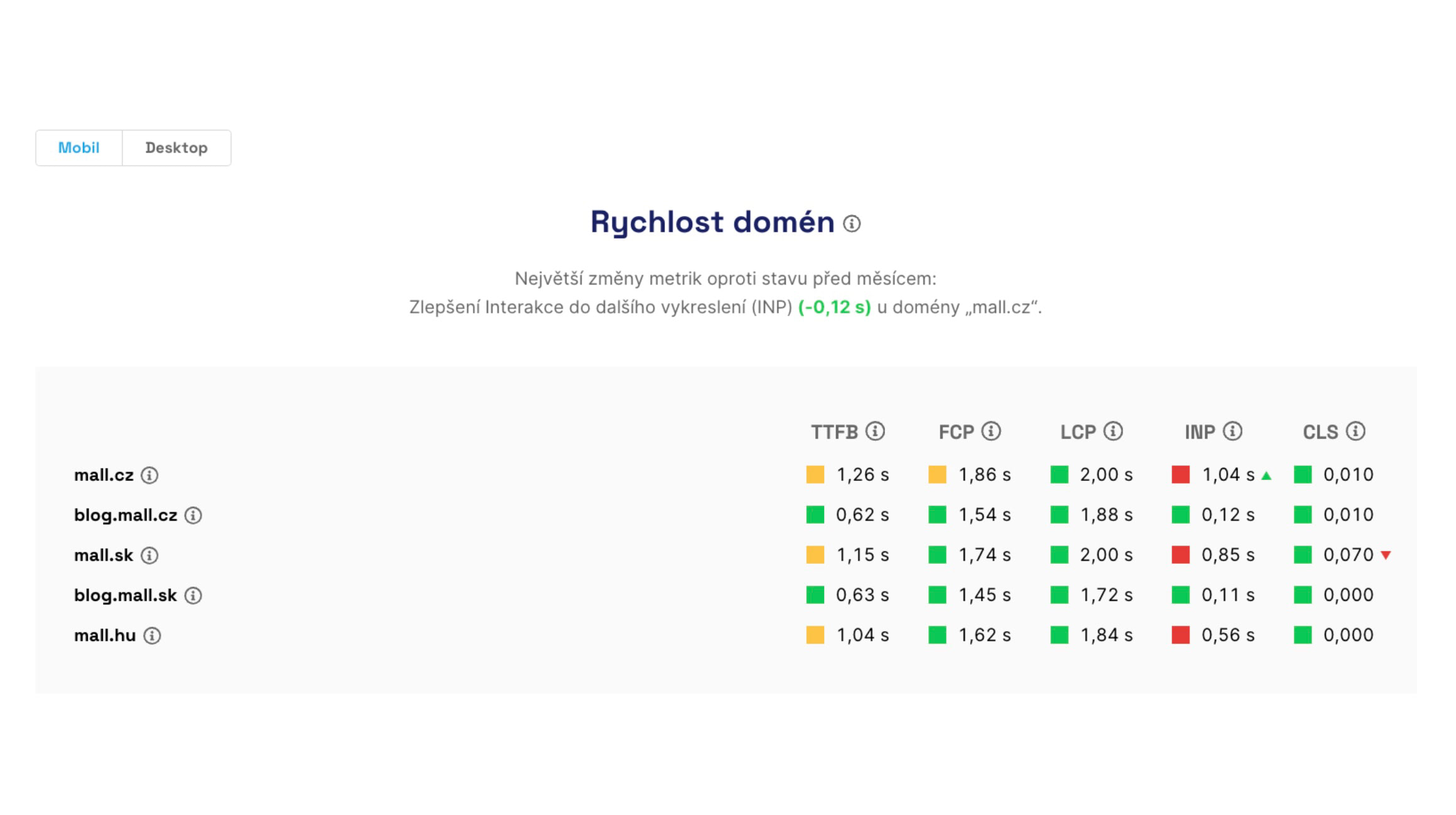 Core Web Vitals metrics from users for several selected domains.
No wonder Lighthouse scores gained popularity, even though they focus on the speed-optimization workflow.
People think the Lighthouse score (LPS) shows “one number for the entire web” in tools like PageSpeed Insights.
But measuring site speed with it is not ideal. Or, worse, it’s completely off.
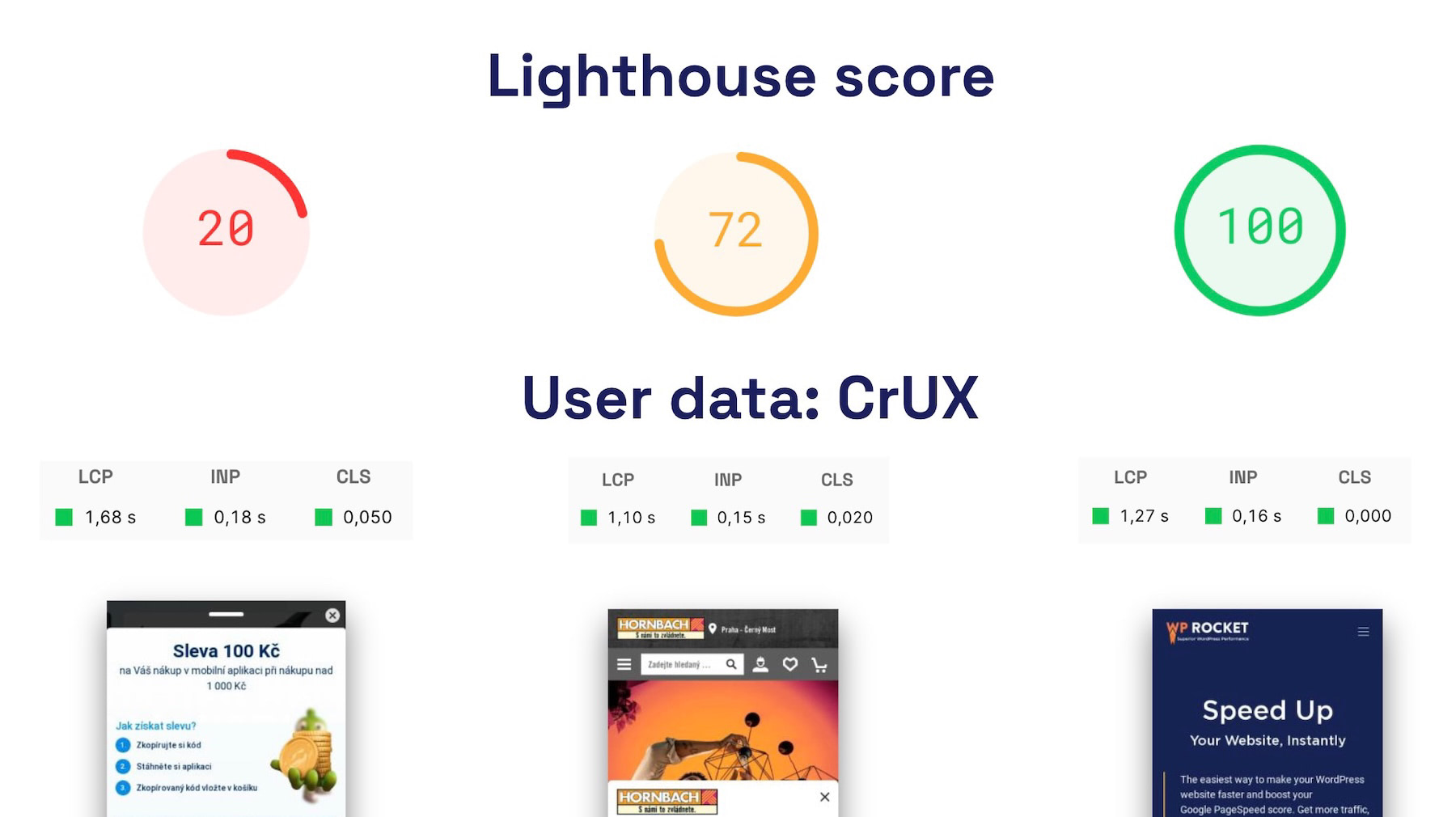 Lighthouse score doesn’t align with the speed of individual sites, partly because it can only measure a single URL.
So how can you monitor a specific domain’s speed with a single metric?
The PageSpeed.cz team has wrestled with this for years. This year, while preparing the evaluation of the fastest e-commerce site in the Czech Republic, we finally arrived at a suitable solution. SPS is now part of the speed-monitoring interface, available in both FREE and PLUS variants.
How the PageSpeed.cz Score is calculated
Let’s walk through step by step how we compute the PageSpeed.cz Score:
- We pull the current values of the three Core Web Vitals metrics for the entire domain or URL, separately for mobile and desktop, from the Chrome UX Report.
- Each metric is given a weight. LCP is considered the most important due to its strong correlation with conversions; CLS and INP carry lower weights.
- We use data for both mobile and desktop. The current weighting is mobile = 7:3, reflecting the higher share of mobile visits.
- The score is a percentage, with 100% being the best.
- The score uses three zones: 0–49 red; 50–89 yellow; 90–100 green. If a site delivers excellent values but one Core Web Vitals metric sits in the orange zone, the overall PageSpeed.cz Score will be capped at orange.
The result is a single number on a 0–100% scale that represents your site’s speed for users.
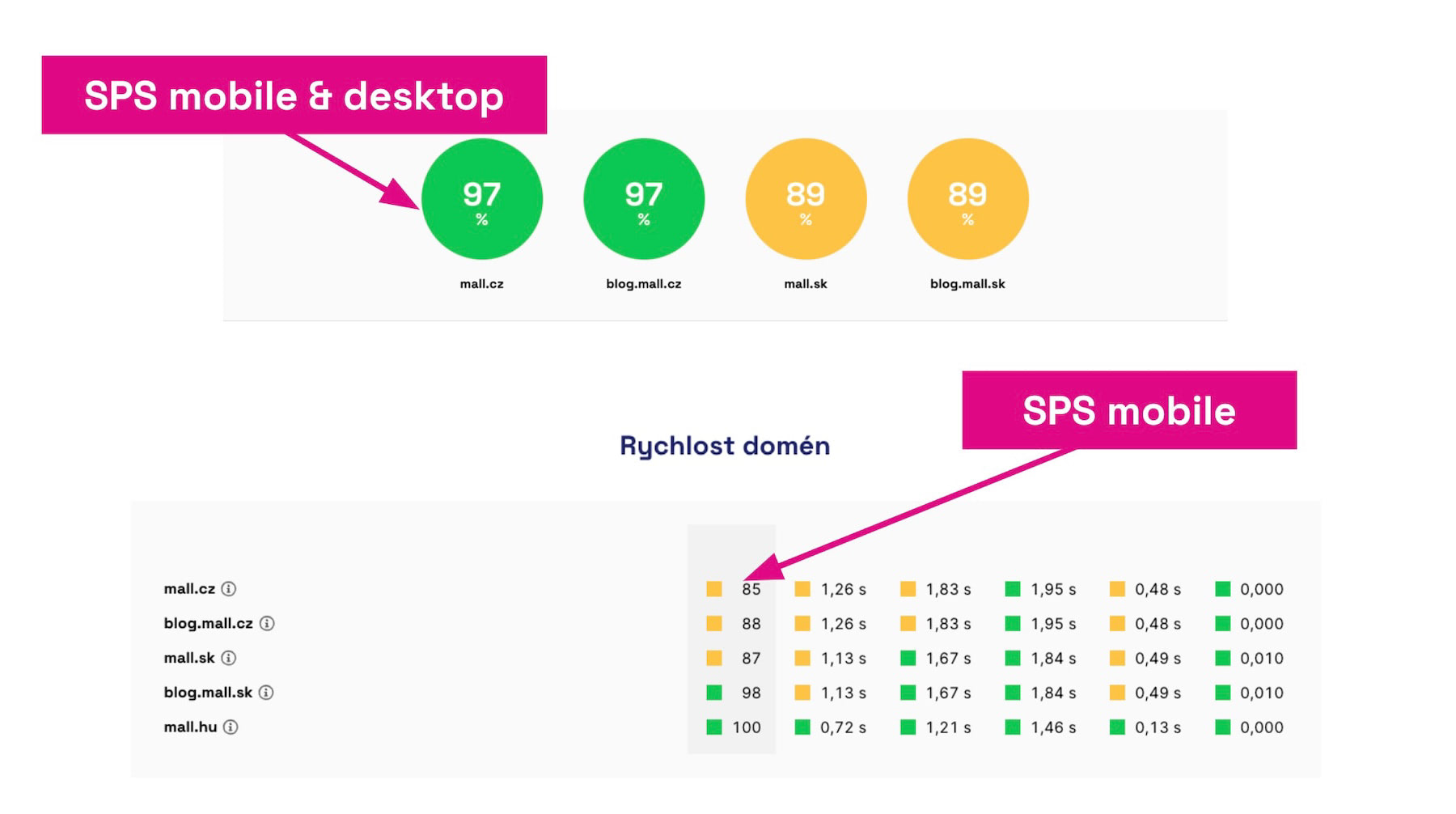 In the Summary report you’ll see the SPS score for mobile and desktop, broken down by device type.
We believe the PageSpeed.cz Score will help you navigate your sites’ speed more easily. Still, it’s important to clarify how to use this new metric.
How to read the PageSpeed.cz Score
The PageSpeed.cz Score is a proxy metric. It can help people who don’t focus on site speed as intensively as developers do.
The target audience for SPS includes site owners, marketers, project managers, and similar roles. The score shows the current state and, in the future, the historical trend of a domain’s speed from the user’s perspective, all on a single percentage value.
However, SPS should not replace Core Web Vitals monitoring—the three metrics for two device types.
The PageSpeed.cz Score does not replace Core Web Vitals
Core Web Vitals metrics provide deeper insights into three areas of speed:
- loading speed — LCP
- layout stability — CLS
- responsiveness to interactions — INP
If you’re optimizing, focusing on these metrics should be your first step. SPS values do not reflect how Google rates your domains or pages.
We recommend tracking both the SPS value and the Core Web Vitals metrics for optimization goals.
Where can you get the PageSpeed.cz Score?
You can view the SPS value in the Summary report within Monitoring PLUS, but it’s also available in the free measurement on our site — app.pagespeed.cz.
Tagy:MetrikyCrUXCore Web Vitals
PředchozíLighthouse Skóre (LPS)DalšíTotal Blocking Time (TBT)