Test: Is it better to have many small CSS files or one big one?
Best practice in the HTTP/2 era suggests splitting CSS into smaller files by component and page. But isn’t the cost of many requests too high?
Why does this matter?
When optimizing a site by Core Web Vitals, we aim to load the largest element on the page (the LCP element) as quickly as possible. That means everything loaded before this element—especially CSS and JavaScript—should be loaded and processed as fast as possible.
We explored this during optimization for one of our largest clients, Livesport.
On Livesport’s site, specifically the Fortuna Liga page, there were 55 small CSS files totaling 789 KB. With gzip compression during transfer, only 156 KB reached the browser.
In this setup, the LCP element loaded in 3,700 ms (tested on a Fast 3G connection).
We then merged all files into one minified file, linked it in the page’s head, and removed the other CSS links.
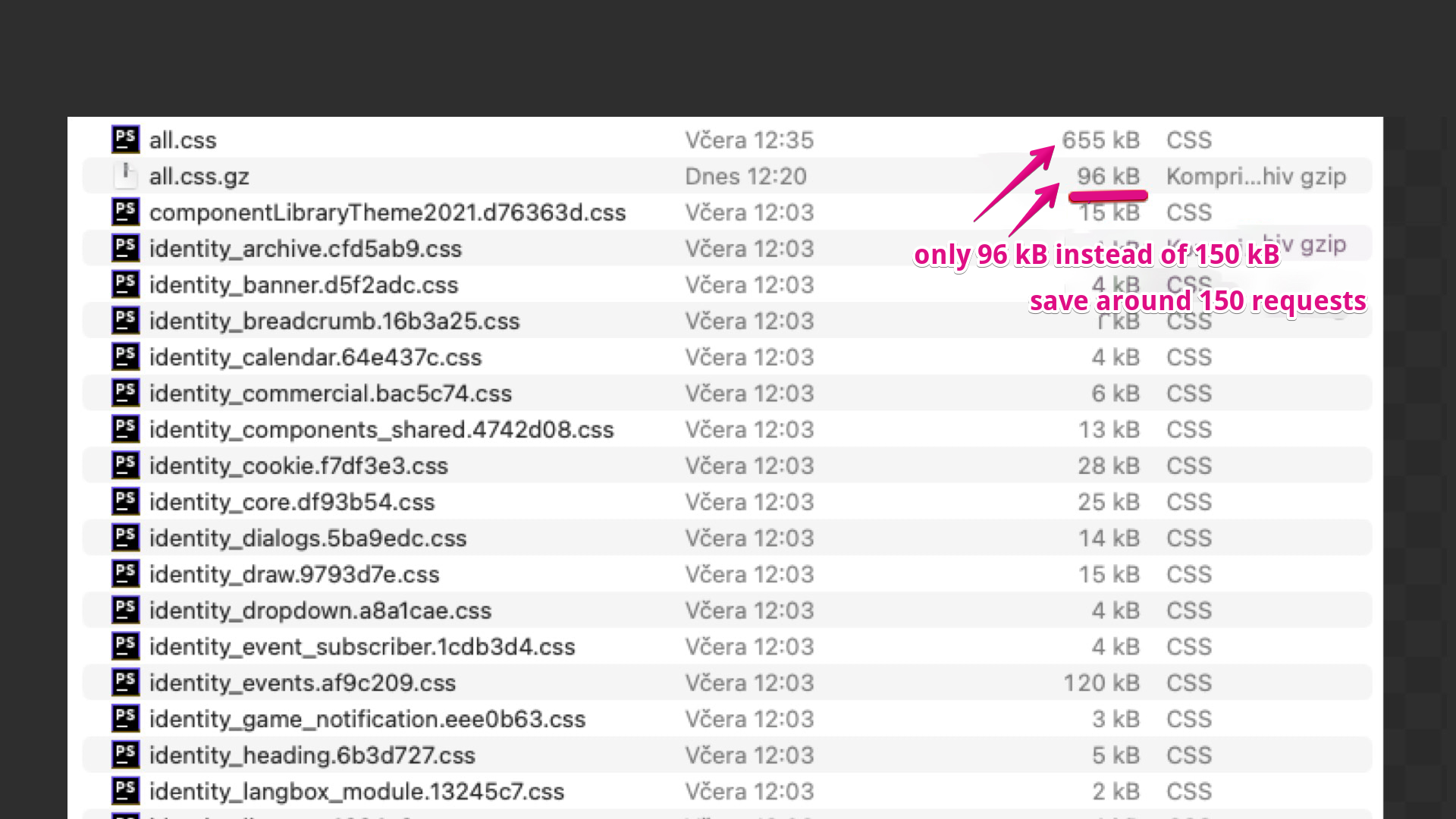 This is what Livesport’s CSS looks like.
Minification reduced the data to 655 KB, and with gzip we dropped to 96 KB transferred. We saved 54 CSS requests and roughly a third of the transferred data.
After CSS optimization, the LCP frontend loaded in 3,500 ms.
The LCP improved by 200 ms on a 3G connection when replacing 55 small files with a single large CSS file.
In percentage terms, this was only a 5% improvement in rendering the LCP element.
| Number of files | Data size (KB) | LCP (ms) | |
|---|---|---|---|
| Before changes | 55 | 789 | 3,700 |
| After changes | 1 | 655 | 3,500 |
This relatively modest LCP speedup is also influenced by the presence of many other transferred resources, such as JavaScript, and by the processing overhead on the client side.
Is it worth bundling CSS into a single file?
This test showed that, from a speed perspective, one file doesn’t save much. One large CSS file isn’t significantly faster for LCP than many small ones.
There are other factors to consider. We’ve modeled only the user experience with an empty browser cache. In production, caching plays a major role and many small files can be advantageous. If you can invalidate them individually rather than all at once, that helps.
General CSS tips: what to watch out for
- Ensure all CSS is as small as possible in the output. Always minify.
- Avoid duplicates in the code: icons, colors, or entire components. This is a common issue with client projects.
- Clean up — if CSS files are large, consider refactoring, breaking into components, and removing unused (dead) styles.
- Ensure proper caching with the max-age directive.
- Make sure gzip or Brotli compression is enabled on the server.
- Avoid styles that aren’t used in the HTML; for example, the homepage doesn’t need styles for the checkout flow.
- Styles outside the first viewport can be loaded lazily, for example with JavaScript.
For more on CSS optimization, see Martin Michálek’s piece on Vzhůru dolů or Harry Roberts’ guidance.
Tagy:MetrikyCore Web VitalsCSS
PředchozíStudie: Chaty a rychlostDalšíSynth vs. CrUX vs. RUM