Image Optimization: Kilobytes vs. Pixels—Millisecond Decisions
Unoptimized images are like bricks tied to the wings of your site. While the page drags toward visitors, they edge from hope (“just a moment more…”) to resignation (“back to Google”) and rarely return.
Fortunately, a handful of proven tricks can shed that digital ballast and make your site fly.
Image data size matters, because images are often the LCP element, directly impacting load speed.
Image optimization is a core best practice, valuable across CMSs like WordPress, Shoptet, Drupal, and others.
1. WebP and AVIF: send JPEG/PNG to retirement
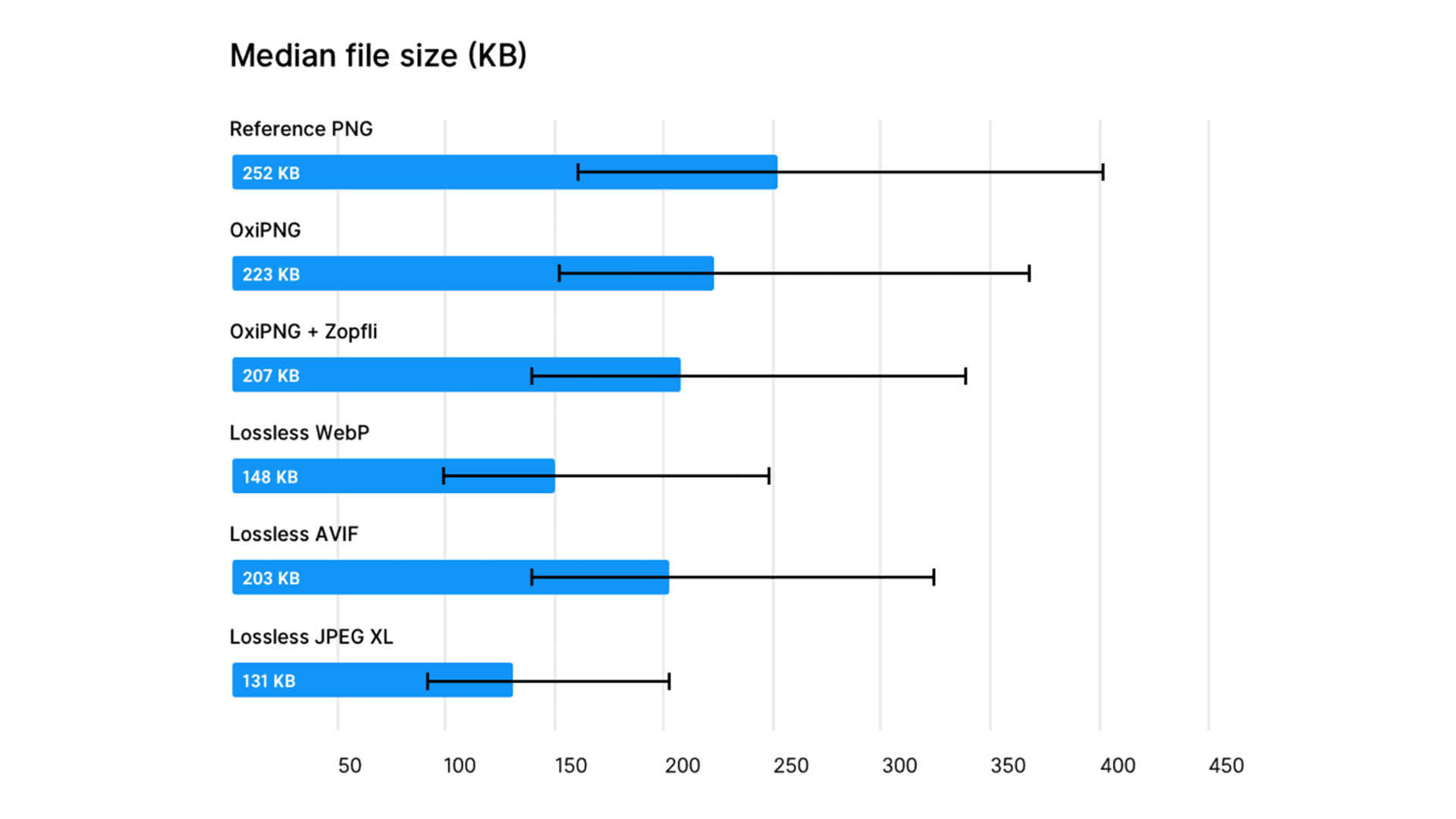
If you’re still serving images in older formats, it’s time to upgrade. Modern formats like WebP and AVIF offer dramatically better compression with preserved quality.
WebP: Google’s WebP is a small miracle. In one PageSpeed.cz audit we reduced banner sizes by about 60% just by converting to WebP. If you’re worried about older browsers, you can provide a fallback:
<picture>
	<source srcset="image.webp" type="image/webp" />
	<img src="image.jpg" alt="Image description" />
</picture>
AVIF or JPEG XL are even newer formats with even better compression. Browser support is growing every day.
2. Tinker with quality: 100% isn’t the goal
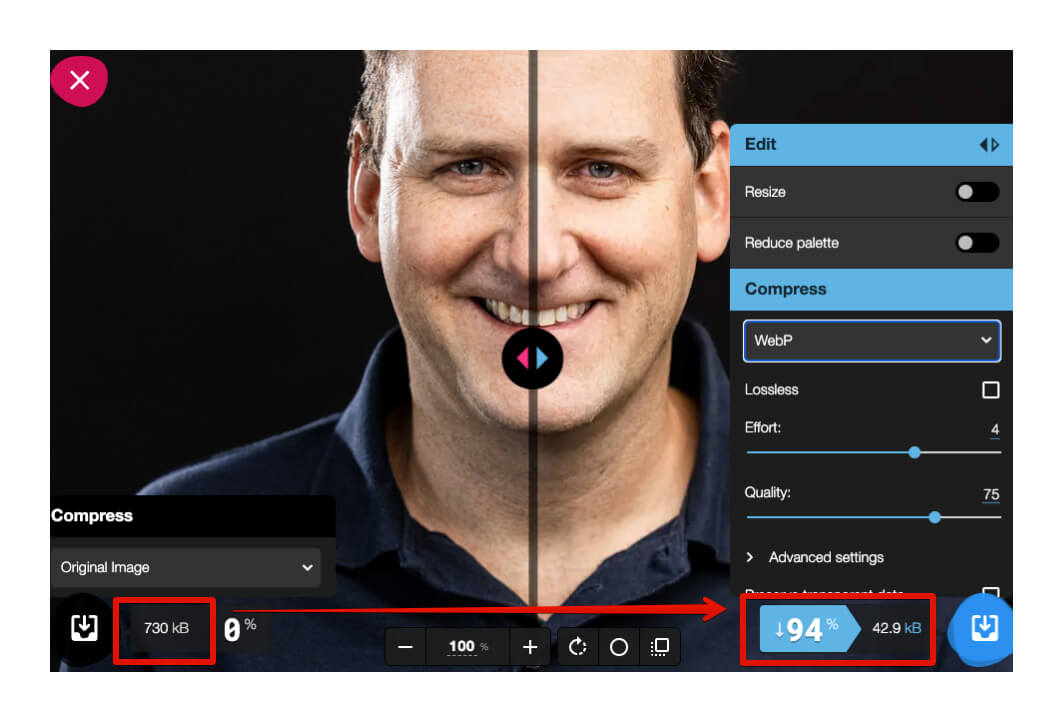
The human eye isn’t a scanner; distinguishing an image compressed to 80% from 100% is hard for many people. Yet the file size can differ by up to 2x. Experiment with quality settings until you find the ideal balance of appearance and size.
For easy testing, try Squoosh, which lets you compare different compression levels in real time.
3. Lazy loading: load what isn’t visible yet
Why should images in the footer load before the user sees them? Lazy loading ensures images load only as the user scrolls near them.
<img src="image.webp" alt="Loaded when needed" loading="lazy" />
4. Proper dimensions: size matters
Uploading a 4K image for a thumbnail is like hauling a truck for a postcard. The browser will downscale, but the user downloads unnecessary data. Always verify the actual display size before uploading.
5. Automatic optimization: less data, same impression
External services can automatically optimize all your images. Cloudflare or Cloudinary can handle image optimization at scale. For open-source enthusiasts, MozJPEG can optimize JPEGs, while TinyPNG/TinyJPG and OptImage are popular for individual images.
6. Prevent layout shifts: dimensions aren’t optional
If the browser doesn’t know an image’s size, content may shift after it loads. CLS impacts user experience and ratings. Always include width and height attributes, or define aspect ratios with CSS to keep the layout stable.
<img src="image.jpg" alt="Stable image" width="600" height="400" />
7. CDN: deliver from the nearest stop
CDNs act as regional distribution hubs for your images. A user in Prague gets files from Central Europe, while a user in Tokyo gets them from Asia, speeding up loading for everyone.
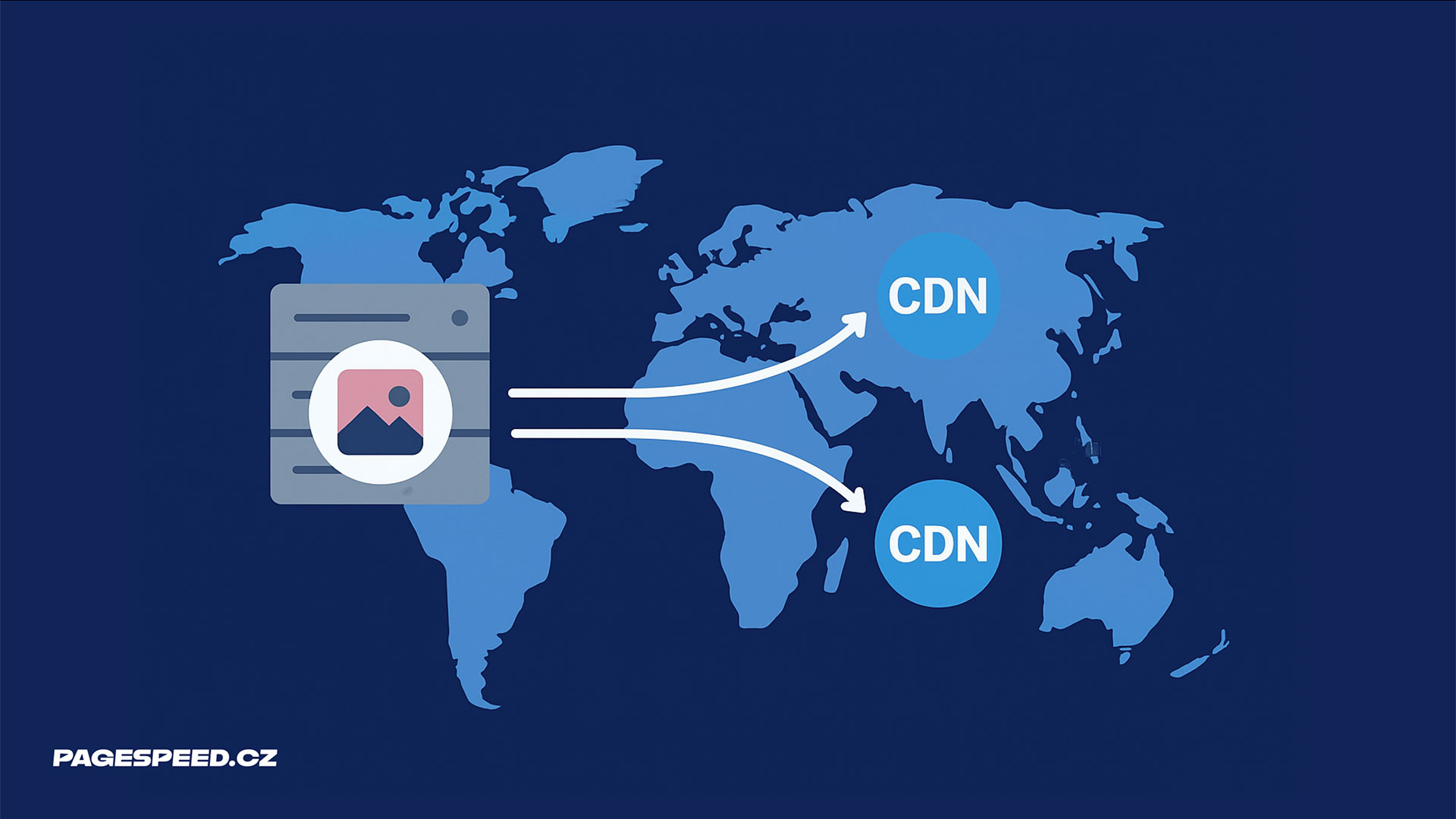 Images dislike long travel distances. CDN helps.
Why bother with image optimization?
Faster sites aren’t just a technical luxury—they influence business outcomes:
- Faster sites rank better in search
- Faster pages convert more
- Faster sites delight visitors
At PageSpeed.cz we help clients achieve impressive results. For example, Livesport improved their Speed Score in Google Ads through front-end optimizations.
Our PageSpeed PLUS monitoring lets you continuously track site speed and visual data usage, including image data volume:
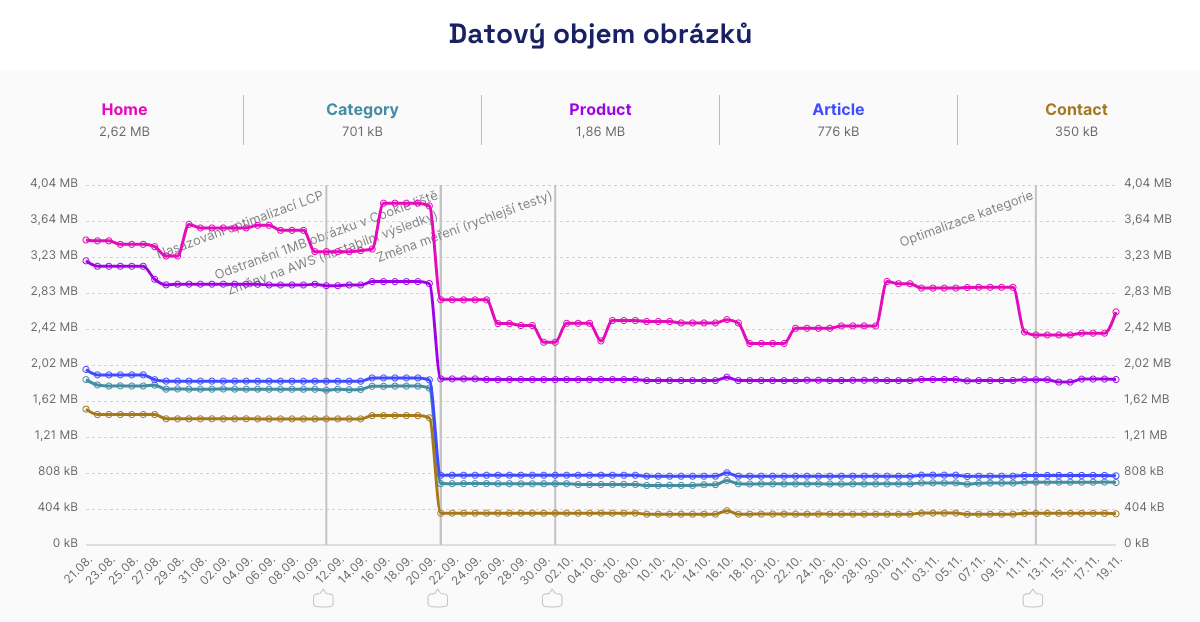 A few extra lines of code can shave data by ~1 MB.
Monitoring also alerts you to changes in real time, so you can respond quickly.
Image optimization pays back with happier users and better business results. Every saved kilobyte counts.